
Blog/Roundup
The Best Social Media Blocker Apps for iPhone in 2026
Eight ways to lock Instagram, TikTok and the rest, compared on price, how firmly they hold and whether they cover your laptop too.


In this article
You don't want to throw your phone in a lake. You want Instagram to stop eating your evenings and TikTok to stop eating your mornings, while your group chats, maps and banking keep working. That's the job of a social media blocker: lock the feeds, leave the rest.
Disclosure: Unrotten is made by the team behind this blog, which is why it comes first. We checked every app on October 30, 2026, against its US App Store listing and its official website, and Apple's Screen Time against Apple's own guides. We didn't lab-test anything; every price, rating and feature below comes from those pages.
The quick comparison
| App | Price (US) | How it blocks | Free version | App Store rating (US) |
|---|---|---|---|---|
| Unrotten | $69.99/yr after a 7-day trial, or $14.99/mo | Screen Time shields tied to goals: a daily limit, session breaks, schedules | No (7-day free trial) | New (October 2026) |
| Freedom | $39.99/yr after a 7-day trial, $8.99/mo or $199 once | Screen Time for apps, a local VPN profile for websites, synced across devices | Yes, limited | 4.4 (6,100 ratings) |
| ScreenZen | Free; optional tips | A wait before apps open; strict blocks; Minimal mode without Reels or Shorts | Yes, all features | 4.9 (52,800 ratings) |
| Opal | Free plan; Pro $99.99/yr, $19.99/mo or $399 once | Screen Time rules: schedules, time limits, open limits; Deep Focus | Yes (1 rule) | 4.7 (90,600 ratings) |
| one sec | Free for 1 app; Pro $19.99/yr, $6.99/mo or $99.99 once | A breathing pause before apps open; blocks on a schedule | Yes (1 app) | 4.8 (23,800 ratings) |
| Jomo | Free plan; Plus $29.99/yr, $5.99/mo or $99.99 once | Screen Time rules for apps, websites and categories; Strict Mode (Plus) | Yes (1 session, 1 limit) | 4.8 (2,500 ratings) |
| BlockSite | Free; Premium from $3.99/mo or $23.99/yr | A built-in VPN for websites in Safari, Chrome and Firefox; app blocking; schedules | Yes | 4.2 (6,300 ratings) |
| Apple Screen Time | Free, built in | Daily limits for apps or whole categories, ignorable by default | Yes | Built into iOS |
Prices and ratings: US App Store and each maker's site, checked October 2026. Some list several prices for one plan, so check yours before you pay.
What makes a social media blocker work
Five findings shaped this list:
- Cutting back works about as well as quitting. A 2025 meta-analysis of 10 randomized trials with 1,491 people found that reducing social media use eased depressive symptoms a little, and trials that only set limits did at least as well as those that asked people to stop completely [1]. You don't have to delete your accounts.
- Blocks work while they're on, and keeping them on is the hard part. In a 2025 randomized trial, adults who blocked all mobile internet on their phones for two weeks, using Freedom, improved in sustained attention, mental health and well-being. But of the 467 people who agreed to the block, 266 set it up and only 119 kept it on for at least 10 of the 14 days [2].
- Limits you can't undo on the spot cut use. In a 12-week experiment with about 2,000 American adults on Android phones, daily limits that took effect the next day and mostly couldn't be overridden in the moment cut time on social apps, browsers and YouTube by 22 minutes a day, or 16% [3].
- For the autopilot open, a pause with an easy exit. In a six-week study of one sec, actual openings of the chosen apps fell by 57%, and a follow-up experiment found the option to back out did more than the wait or the message [4].
- Time away changes what you go back to. In a randomized experiment, people paid to deactivate Facebook for the four weeks before the 2018 US midterm election gained about an hour a day, spent more time offline, including with friends and family, and less on other social media. They reported higher well-being, used Facebook much less afterward and knew a little less about the news [5].
The best social media blocker holds when you're tired, locks the feed rather than your friends, and is still switched on next month.
The 8 best social media blocker apps
1. Unrotten: best for changing the habit behind the scroll
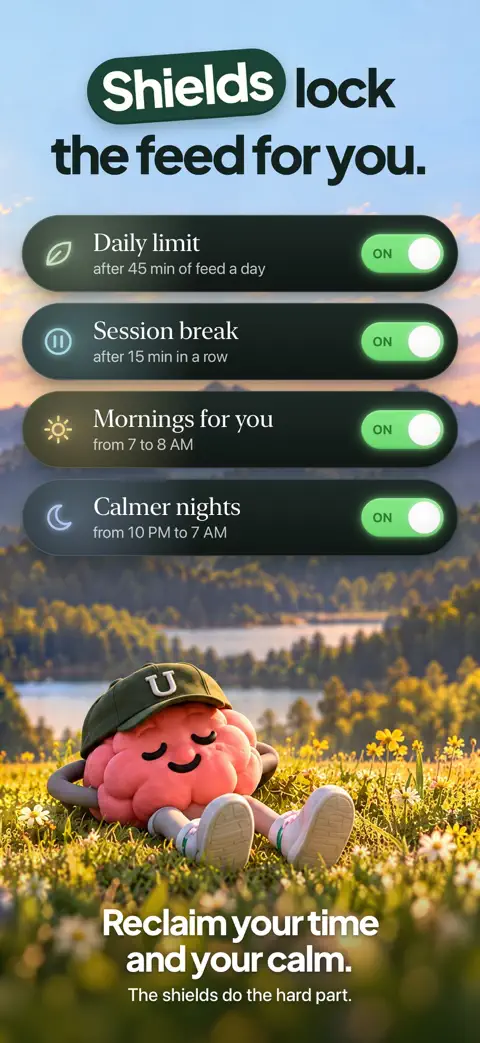
Unrotten treats social media as something to cut back on, not only to wall off. You choose your rot apps, and whole app categories or websites too, then turn on goals: Less scrolling sets a daily limit, Shorter scroll sessions gives the apps a break once a session runs past the length you set, and Fewer app returns caps how often you open them. When a limit is reached, Apple's Screen Time shield locks those apps, with no "ignore limit" button, until the limit resets or the break ends, and a limit you raise mid-day only counts from the next day. Everything you didn't choose, your messages included, stays open.
Around the wall sits a reason to keep it up: the MindBattery, a score from 0 to 100 in the Dynamic Island and on your Lock Screen, drains while you use those apps and recharges with sleep, movement, mindful minutes and time away. An AI Coach, drawn like iOS Messages, sends a morning message, checks in on the plans you share and nudges you when scrolling runs fast. Apple's Screen Time hands Unrotten your choices as private tokens, so it never learns which apps or sites they are.
Best for: people who have tried blockers before and want a reason to scroll less, not just a wall.
Watch out for: there's no free tier: it's $69.99 a year after a 7-day free trial, or $14.99 a month. It's an iPhone app (iOS 17 or later) with nothing for your laptop, and it's new, on the App Store since October 14, 2026. It's also a commitment device, not a vault: turning a goal off, or removing Unrotten's Screen Time access, lifts that goal's shield.
2. Freedom: best for blocking social media on every device
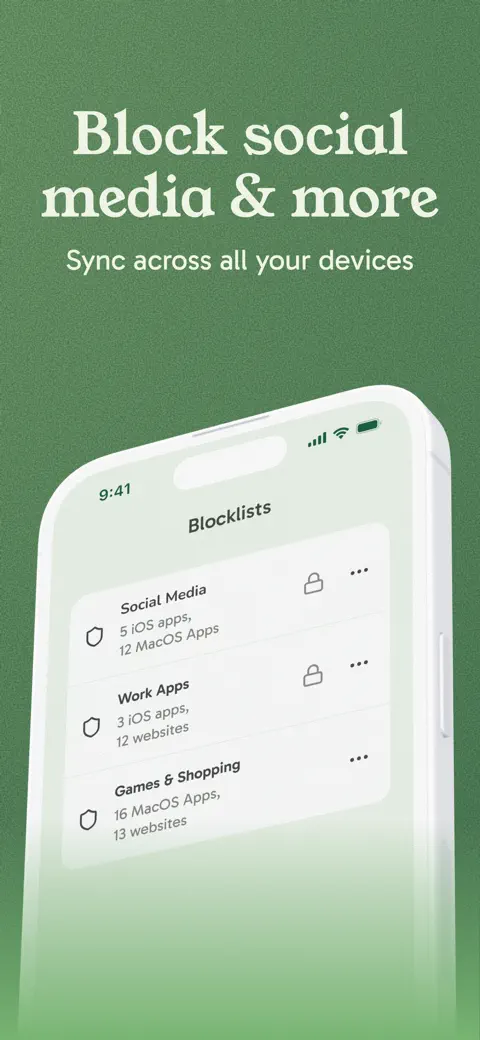
Freedom is built for scrolling that moves from phone to laptop and back. Its blocklists and sessions sync across iPhone, iPad, Mac, Windows, Android and Chromebook, with no limit on devices. On iPhone it blocks apps through Apple's Screen Time and websites through a local VPN profile that filters on the phone itself. Locked Mode stops you from logging out or removing anything from a blocklist while a session runs, and Uninstall Protection keeps the app on your phone. Researchers used it to block mobile internet in the 2025 trial above [2].
Best for: anyone who scrolls on a computer as much as on a phone.
Watch out for: Freedom's help center notes that on iPhone, Locked Mode doesn't stop you from switching off its Screen Time permission in Settings unless you also set a Screen Time passcode. Premium is $39.99 a year after a 7-day free trial or $8.99 a month; a lifetime plan is $199, shown at half price on its website on October 30.
3. ScreenZen: best free option, and it can strip out Reels
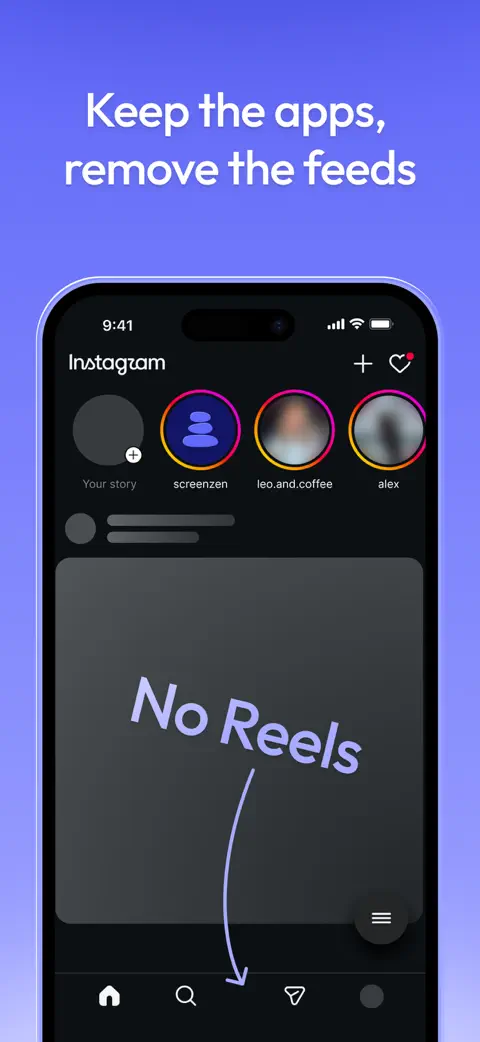
ScreenZen is completely free, funded by optional tips, and it's the only app on this list whose iPhone version says it can remove the feeds themselves. Minimal, added in version 4.0, lets you use Instagram, YouTube, TikTok, Reddit "and more without Reels, Shorts or endless feeds, with messages-only options," in ScreenZen's words. Around it sit a wait that can grow each time you open an app, strict blocks and a lock on its own settings. It also runs on Mac, Windows and Android.
Best for: keeping Instagram for messages and friends while losing Reels, for free.
Watch out for: most of its friction can be waited out. The strict blocks and the settings lock are what hold, and you have to switch them on; our ScreenZen review has the details.
4. Opal: best for strict sessions
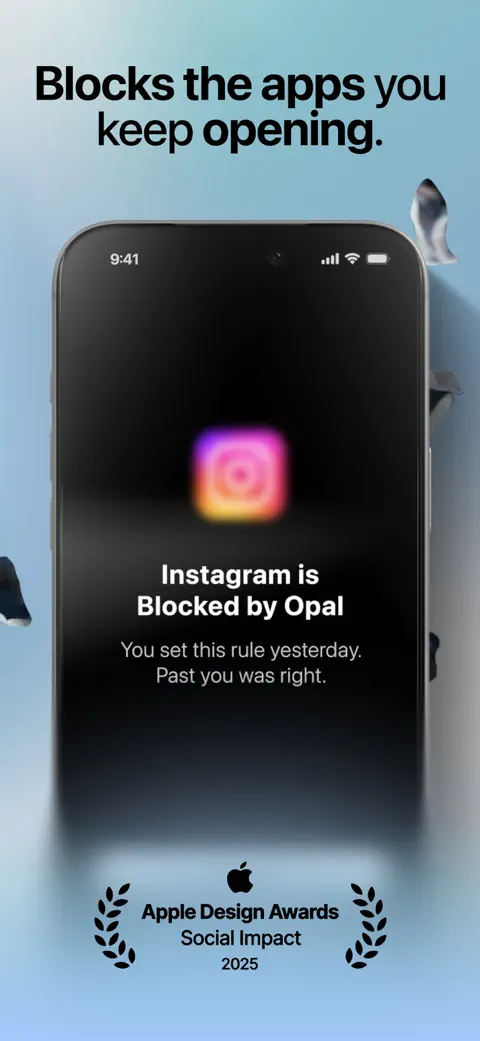
Opal blocks apps and websites through Apple's Screen Time on schedules, daily time limits and open limits. Its strictest settings are the draw: Deep Focus, its App Store listing says, can't be cancelled or bypassed, and Hard Mode is summed up as "No way out," with an Emergency Pass to turn a rule off. It runs on iPhone, Mac and Android.
Best for: a firm, polished blocker with a free first step.
Watch out for: the free plan covers one rule, and Pro costs $99.99 a year (with a free week), $19.99 a month or $399 once, the highest yearly price here. It needs iOS 18 or later.
5. one sec: best for the autopilot open
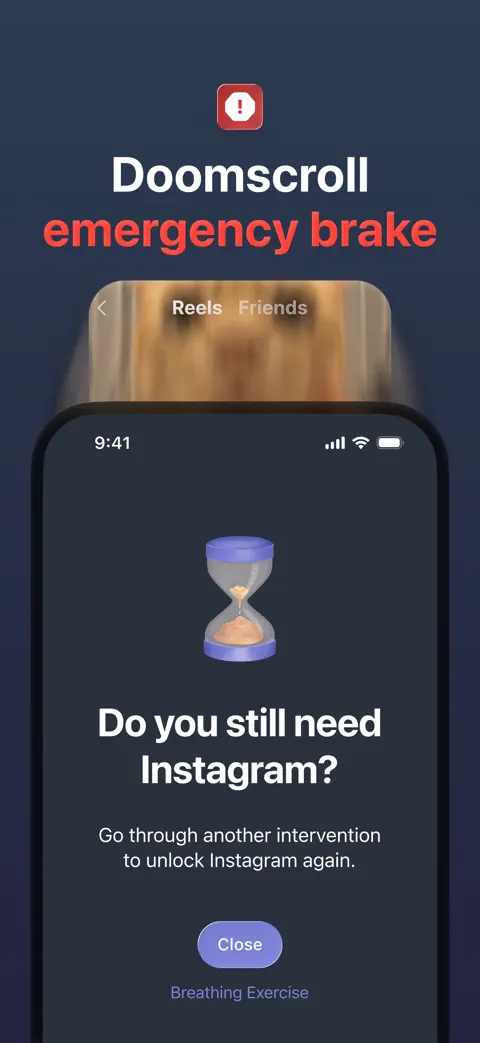
one sec doesn't lock first; it makes you breathe. Open a social app you've chosen and a short pause plays before you decide whether to go in, and its Doom Scroll Emergency Brake kicks you out after a set time. It can also block apps and websites on a schedule and runs on Android and Mac; on Android, its Google Play listing adds Shorts and Reels blockers.
Best for: the thumb that opens Instagram before you've decided to.
Watch out for: a pause delays rather than stops you. Free for one app; Pro is $19.99 a year, $6.99 a month or $99.99 once. Read our one sec review.
6. Jomo: best for building your own rules, on Mac too
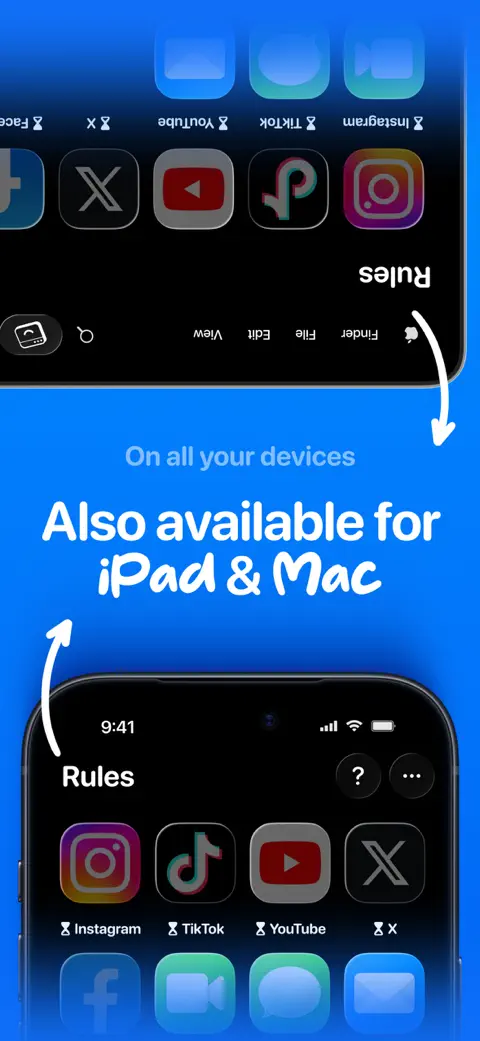
Jomo uses Apple's Screen Time to block apps, websites in any browser and whole categories, Social Media among them, by schedule, time limit or session. Strict Mode, its website says, makes your rules unbreakable for a set time, while a block runs or always, and an unlock can make you wait, type a reason or enter a password before your apps open. It runs on iPhone, iPad and Mac.
Best for: tinkerers who want their own setup on a smaller budget.
Watch out for: the free plan allows one session and one limit, and Strict Mode comes with Jomo Plus: $29.99 a year after a 3-day trial, $5.99 a month or $99.99 once. There's no Android or Windows version.
7. BlockSite: best if your feeds live in a browser
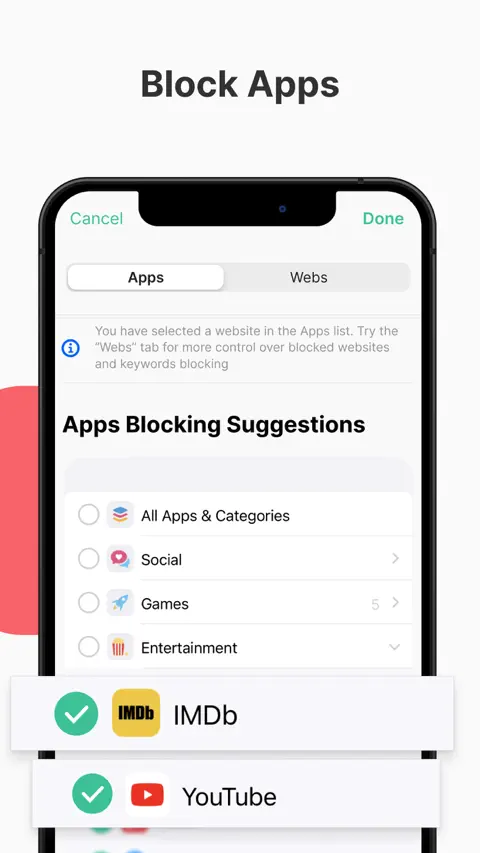
BlockSite's iPhone app leans on websites. A built-in VPN blocks the sites you list in Safari, Chrome and Firefox, alongside app blocking, schedules and usage limits. Premium adds category blocking, Social Media among the categories; blocking by keyword, so that blocking "social" blocks any address that contains it; and a password on your settings.
Best for: people whose social media habit runs through a browser as much as through apps.
Watch out for: its App Store listing shows several Premium prices, from $3.99 to $14.99 a month and from $23.99 to $47.90 a year, so check which you're offered. It needs iOS 17.6 or later.
8. Apple Screen Time: the free one already on your phone
Every iPhone can limit a whole category of apps. On iOS 26, open Settings, then Screen Time, tap App Limits, then Add Limit, select the category that holds your social apps and set the time. Apple's guide names the catch: "By default, Screen Time limits can be ignored once reached." A Screen Time passcode can make Downtime block for real, but if you set it yourself, you know it. On iOS 27 the same idea lives under Time Allowances, with categories such as Social Media, and an allowance also covers a website the app declares.
Best for: a free first step, if your habit is mild.
Watch out for: limits that give way with a tap, unless locked with a passcode you know.
The limits built into the social apps
The social apps have their own timers, free and worth switching on. For adults, though, they remind rather than block:
- Instagram: Profile, the menu, Time management, then Daily limit, which sends a reminder when you reach it. Sleep mode pauses notifications for the hours you choose and reminds you to close the app, though you can keep using it.
- TikTok: Settings and privacy, Time and well-being, Screen time, then Daily screen time. At the limit you can close TikTok or enter the on-screen passcode to keep watching.
- YouTube: Settings, Time management, then Shorts feed limit, which you can even set to zero. When it's reached, a message lets you dismiss or ignore it. Its break and bedtime reminders, off by default for adults, pause or interrupt your videos.
- Facebook: Settings and privacy, Time management, for a daily limit reminder and a sleep mode that mutes notifications.
Alone, they're a speed bump; with a blocker that holds, a first warning.
How to choose
- Your laptop is half the problem: Freedom, which syncs everywhere; ScreenZen, Opal, Jomo and one sec also have Mac apps.
- You want Instagram for friends, not for Reels: ScreenZen's Minimal, plus YouTube's Shorts feed limit set to zero.
- You open apps without deciding to: a pause (one sec or ScreenZen).
- You blow through your own limits: a block without an easy override (Unrotten's shields, Opal's Deep Focus, Jomo's Strict Mode or Freedom's Locked Mode).
- You want the habit itself to change: goals and a coach (Unrotten).
- You don't want to pay: ScreenZen, Screen Time or a free tier.
To lock every kind of distracting app, not only social media, see our guide to the best app blockers for iPhone.
Lock the feed, keep your people
Start with your two worst apps and one rule, and give it two weeks. Aim for less, not zero: in the trials, limits did at least as well as quitting [1]. If the rule keeps losing at 11 p.m., go one step firmer. If it holds but the pull doesn't fade, that's where a coach and a reason to stop earn their place, and why we built Unrotten. For why the feeds are so hard to put down, read our guide to social media addiction.
If scrolling goes with low mood, anxiety or poor sleep that won't lift, talk to a doctor or therapist; a blocker helps with a habit, not with those.
Questions people ask
What is the best social media blocker app?
It depends on how you slip. To change the habit, Unrotten pairs Screen Time shields that have no ignore button with goals and an AI Coach. To block social media on your phone and your computer at once, Freedom. For free, ScreenZen. For strict sessions, Opal. For a pause before an app opens, one sec.
Is there a free social media blocker?
Yes. ScreenZen is free and supported by tips, and Apple's Screen Time can limit a whole category of apps for free. Freedom, Opal, one sec, Jomo and BlockSite have free versions with limits. Unrotten has no free tier, but you can try it free for 7 days.
Can you block Reels or Shorts but keep the app?
On iPhone, ScreenZen says its Minimal mode, added in version 4.0, lets you use Instagram, YouTube, TikTok and Reddit without Reels, Shorts or endless feeds, with messages-only options. YouTube's own Shorts feed limit can be set to zero, though you can dismiss it. Blockers built on Apple's Screen Time lock whole apps.
How do I block social media on my phone and my computer?
Freedom syncs its blocklists and sessions across iPhone, iPad, Mac, Windows, Android and Chromebook, with no limit on devices. ScreenZen, Opal, Jomo and one sec also have Mac apps, and one sec and BlockSite have browser extensions.
Do Instagram and TikTok's own time limits block the app?
Not for adults. Instagram's daily limit sends a reminder, TikTok's daily screen time limit lets you close the app or enter a passcode to keep watching, and YouTube's Shorts feed limit can be dismissed or ignored. They're useful warnings, not locks.
References
- May W, Malouff JM, Meynadier J. "Reducing Social Media Use Decreases Depression Symptoms: A Meta-Analysis of Randomised Controlled Trials." European Journal of Investigation in Health, Psychology and Education. 2025;15(11):222. doi:10.3390/ejihpe15110222 ↩
- Castelo N, Kushlev K, Ward AF, Esterman M, Reiner PB. "Blocking mobile internet on smartphones improves sustained attention, mental health, and subjective well-being." PNAS Nexus. 2025;4(2):pgaf017. doi:10.1093/pnasnexus/pgaf017 ↩
- Allcott H, Gentzkow M, Song L. "Digital Addiction." American Economic Review. 2022;112(7):2424-2463. doi:10.1257/aer.20210867 ↩
- Grüning DJ, Riedel F, Lorenz-Spreen P. "Directing smartphone use through the self-nudge app one sec." Proceedings of the National Academy of Sciences. 2023;120(8):e2213114120. doi:10.1073/pnas.2213114120 ↩
- Allcott H, Braghieri L, Eichmeyer S, Gentzkow M. "The Welfare Effects of Social Media." American Economic Review. 2020;110(3):629-676. doi:10.1257/aer.20190658 ↩
Written by
Maren AshbyCOO, Unrotten
Maren Ashby is the COO of Unrotten, the iPhone app that helps people take their attention back from the feed. She writes about the research on phones, sleep and focus, and about the small, practical changes that make a phone easier to put down.