

Blog/Roundup
The Best App Blockers for iPhone in 2026, Compared
Ten ways to lock the apps that eat your day, compared on price, how they block and how easy they are to get around.

In this article
You set a limit on Instagram. It runs out at 10:40 p.m., a button offers to ignore it, and one tap later you're back in the feed. Anyone shopping for an app blocker has lived some version of that moment.
The best test of any app blocker: what happens when the urge is stronger than the rule.
Disclosure: Unrotten is made by the team behind this blog, which is why it comes first. We checked every app on October 20, 2026, from its US App Store listing, its official website and, for Screen Time, Apple's own guide. We didn't lab-test anything; every price, rating and feature below comes from those pages.
The quick comparison
| App | Price (US) | How it blocks | Free version | App Store rating (US) |
|---|---|---|---|---|
| Unrotten | $69.99/yr after a 7-day trial, or $14.99/mo | Screen Time shields tied to goals: a daily limit, session breaks, schedules | No (7-day free trial) | New (October 2026) |
| Opal | Free plan; Pro $99.99/yr, $19.99/mo or $399 once | Screen Time blocks, limits and schedules | Yes (1 rule) | 4.7 (90K ratings) |
| one sec | Free for 1 app; Pro $19.99/yr, $6.99/mo or $99.99 once | A pause before the app opens; schedules | Yes (1 app) | 4.8 (24K ratings) |
| ScreenZen | Free; optional tips | A delay before opening; limits; strict blocks | Yes, all features | 4.9 (52K ratings) |
| Brick | $59 once for the device; no subscription | Tap your phone on an NFC block | No (needs the device) | 4.9 (58K ratings) |
| BePresent | Subscription; see the App Store | Screen Time sessions and goals; optional money stake | Free trial; free tier not stated | 4.8 (68K ratings) |
| Clearspace | Free to start; Premium listed at $44.99 to $59.99/yr or $6.99/mo | A breathing pause; limits; schedules | Yes, limited | 4.7 (8.9K ratings) |
| Jomo | Free plan; Plus $29.99/yr, $5.99/mo or $99.99 once | Screen Time rules and sessions; Strict Mode | Yes (1 session, 1 limit) | 4.8 (2.5K ratings) |
| Forest | Free; optional Forest Plus | A focus timer that blocks chosen apps; schedules | Yes | 4.8 (50K ratings) |
| Apple Screen Time | Free, built in | Daily limits and schedules, ignorable by default | Yes | Built into iOS |
Prices and ratings: US App Store and each maker's site, checked October 2026. Prices change, and the App Store shows the current one before you pay.
What makes an app blocker work
Blocking isn't a placebo. In a randomized trial, people whose phones had mobile internet blocked for two weeks, with calls and texts still working, improved in sustained attention, mental health and well-being; 91% improved on at least one of those [1]. Part of the gain came from what filled the gap: more time with people in person, exercising and outdoors. That trial blocked the whole mobile internet, so it can't promise the same from blocking three apps, but it points the right way.
Four more findings shaped how we read the list:
- Limits work while they hold. Students who cut their phone time to two hours a day for three weeks slept better and reported less stress and fewer depressive symptoms, small to medium effects. After the study ended, their screen time climbed quickly back toward where it started [2]. A blocker you switch off in week two won't do much.
- Less beats none. In a study of 619 people, both a week without a smartphone and one hour less a day helped, but most benefits were stronger, and lasted longer over four months, in the one-hour-less group [3].
- A pause works best with an exit. In a six-week field study of the app one sec, people closed the app they'd reached for 36% of the time after its short pause, and their actual openings fell 57%. A follow-up experiment found the option to back out did the most work; the waiting time helped too, while a message alone did not [4].
- A less tempting phone helps. In a randomized trial, people who picked from a set of easy changes, such as turning off non-essential notifications and switching the screen to grayscale, cut their screen time and slept better than people who only tracked it [5].
So the formula is friction at the moment of the urge, a rule that holds when you're tired, and a goal of less rather than zero.
The 10 best app blockers for iPhone
1. Unrotten: best for changing the habit, not just blocking it
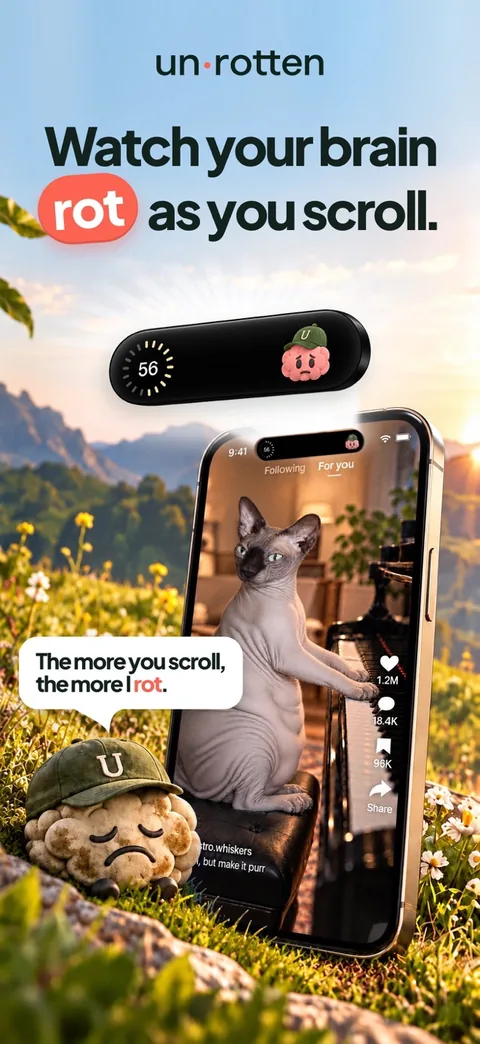
Unrotten is built around goals rather than a single block list. You choose your rot apps, the ones that eat your time, and turn on goals such as Less scrolling (a daily limit), Shorter scroll sessions (past a set session length, the apps take a break) or Calmer evenings (a protected window each day without them). There are ten goals in all, from Fewer app returns to Time away from apps, a daily schedule. When a limit is reached or a protected window starts, Apple's Screen Time shield locks those apps, and that shield has no Ignore Limit button: it closes the app, and on iOS 26.5 or later it can open Unrotten. The lock holds until the limit resets or the window ends, and a limit you raise mid-day only counts from tomorrow, which takes the bargaining out of 11 p.m.
What makes it different is what surrounds the wall. An AI Coach, drawn like iOS Messages, knows your goals and your day (never the names of your apps). It sends a morning message, checks in on plans you shared, and nudges you when scrolling runs fast. You choose its voice: the Wise Coach, the Stoic Coach or the Drill Sergeant, who goes from Standard to Hard to Savage. The MindBattery, a score from 0 to 100 on your Lock Screen, in the Dynamic Island and in widgets, drains while you use your rot apps and recharges with sleep, movement, mindful minutes and time away from them. Met days build streaks with milestones from 7 to 365 days. And because Apple's Screen Time framework hands your chosen apps over as private tokens, Unrotten never learns which apps they are.
Best for: people who have tried blockers before and want a reason to stop, not just a wall.
Watch out for: there's no free tier: it's $69.99 a year after a 7-day free trial, or $14.99 a month. It's new (it reached the App Store on October 14, 2026), so it has no ratings yet, and it's iPhone only, on iOS 17 or later. It's also a commitment device, not a vault: turning a goal off, or removing Unrotten's Screen Time access, lifts that goal's shield.
2. Opal: best for a strict, polished blocker
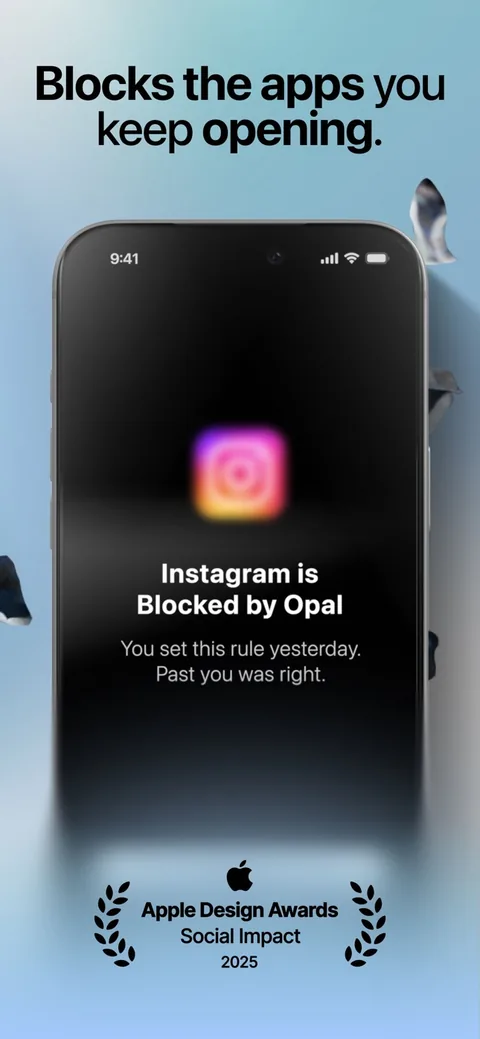
Opal is the most-rated app here: 4.7 stars from about 90,000 US ratings. It uses Apple's Screen Time API for schedules, daily limits and focus sessions, with a Focus Score, leaderboards and milestones on top. Its strict settings are the draw: the App Store listing says Deep Focus can't be bypassed or cancelled, and the pricing page sums up Pro's Hard Mode as "No way out." It also runs on Android and Mac.
Best for: a firm, polished blocker with scores and a little competition.
Watch out for: the free plan covers one rule. Pro is $99.99 a year (with a free week), $19.99 a month or $399 once, the highest yearly price here, and it needs iOS 18 or later.
3. one sec: best for stopping the autopilot open
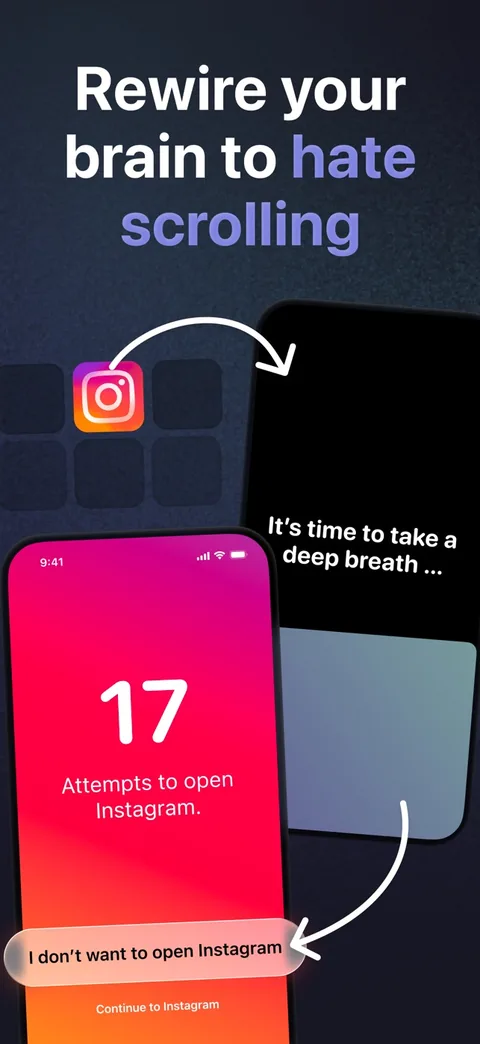
one sec doesn't block first; it makes you wait. Open an app you chose and a short breathing animation plays before you decide whether to go in. It can also block apps on a schedule and kick you out of a feed after a set time. Its field study, the 57% drop above, was peer reviewed; one of its three authors is the app's developer [4].
Best for: the thumb that opens Instagram before you've decided to.
Watch out for: a pause delays rather than stops you, by design, so on a determined night you can still go in. Free for one app; Pro is $19.99 a year, $6.99 a month or $99.99 once.
4. ScreenZen: best if you don't want to pay
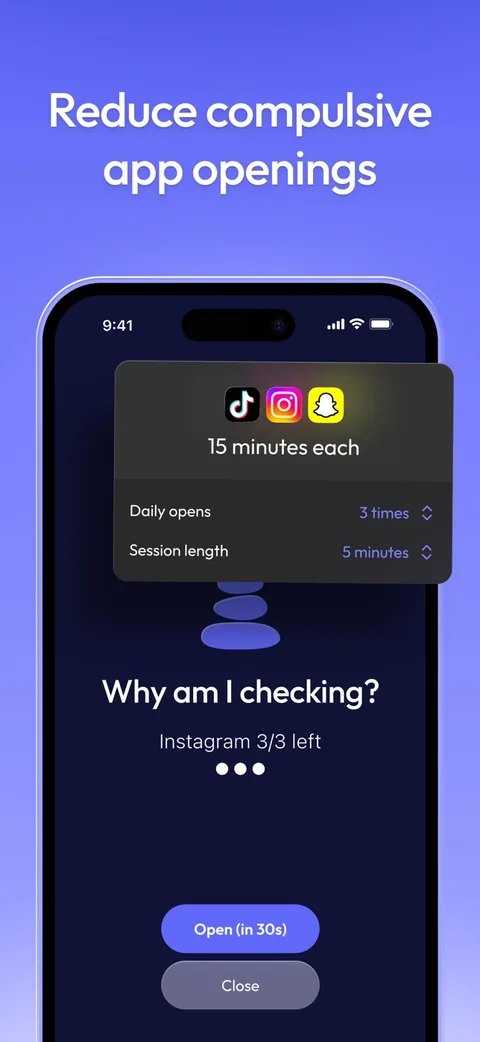
ScreenZen is completely free, funded by optional tips. It stacks friction: a wait before a chosen app opens that can grow each time, breaks that interrupt a scroll, daily goals that can block an app, and strict blocks by time range or number of opens. It can even lock its own settings against a weak moment.
Best for: anyone who wants a capable free app blocker.
Watch out for: most of its tools are friction you can wait out; the strict blocks are the part that holds, and you have to switch them on.
5. Brick: best physical blocker
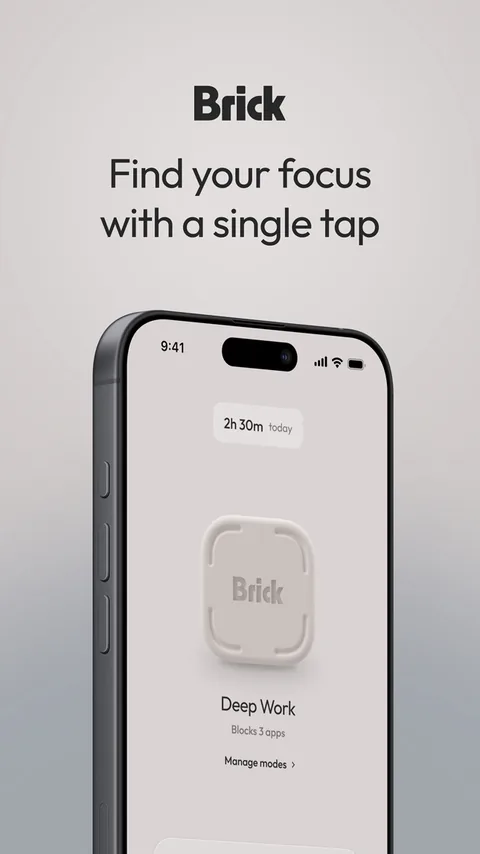
Brick is a phone blocker you can hold: a small device plus a free app. Tap your iPhone on it and the apps and websites you picked disappear, notifications included, until you tap again. Leave it in a drawer or at the office and the friction becomes distance. Strict Mode stops you from deleting the app or changing settings mid-session, and five Emergency Unbricks cover real emergencies.
Best for: a physical commitment with no subscription.
Watch out for: it's $59 up front and needs iOS 18 or later. If the Brick is across town, so is your access, short of an emergency unbrick. To lock away the whole phone instead, see our guide to phone lock boxes.
6. BePresent: best for competition and rewards
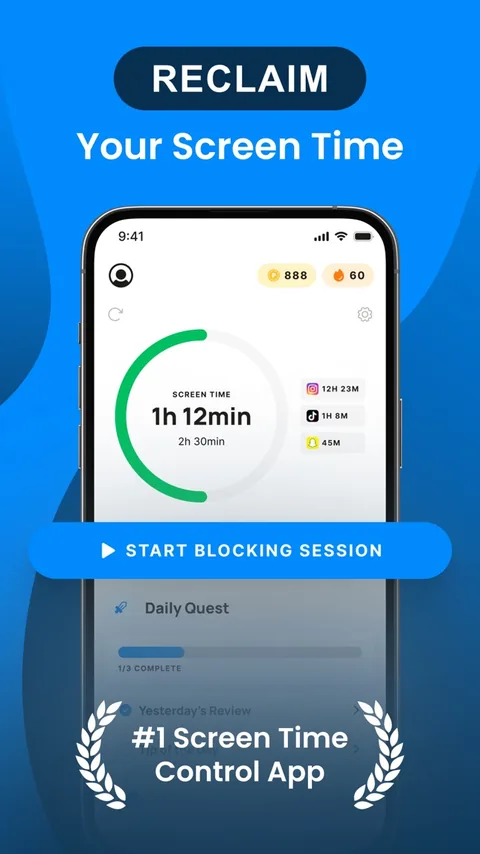
BePresent turns cutting back into a game with stakes: daily goals and streaks, solo or group sessions (including a strict Beast Mode), weekly leaderboards against friends, and points toward real rewards from partners such as Headspace and ClassPass. You can even back a goal with money; go over and the stake is gone.
Best for: people motivated by friends, rankings and rewards.
Watch out for: its website shows no price, and the App Store lists several plans, including an annual one at $59.99 with a one-week free trial. Check the price in the app before a trial ends.
7. Clearspace: best for a calm pause with accountability
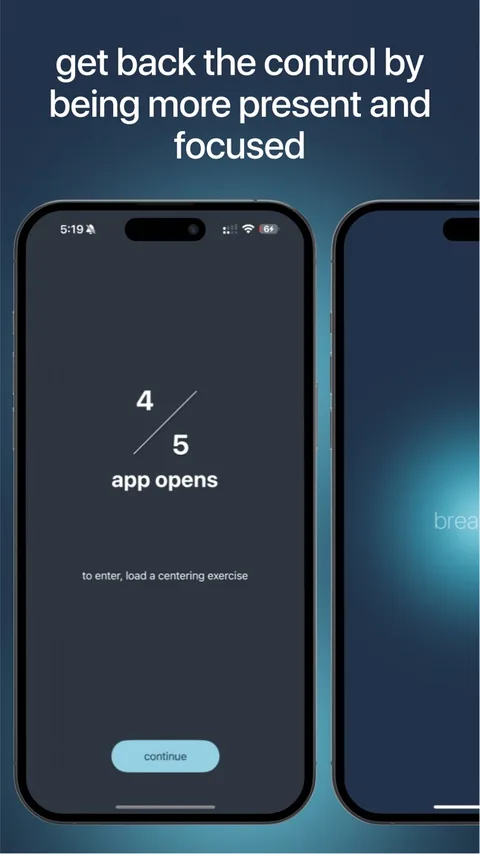
Clearspace puts a short centering exercise, a breath, between you and the apps you choose; then you go in or back out. It adds per-app session lengths that end on their own, schedules, challenges and accountability partners. It also has an Android app and a Chrome extension.
Best for: a gentle pause plus someone keeping you honest.
Watch out for: you can start free, but the App Store lists Premium at several prices, from $44.99 to $59.99 a year or $6.99 a month, so check what you're offered.
8. Jomo: best for building your own rules
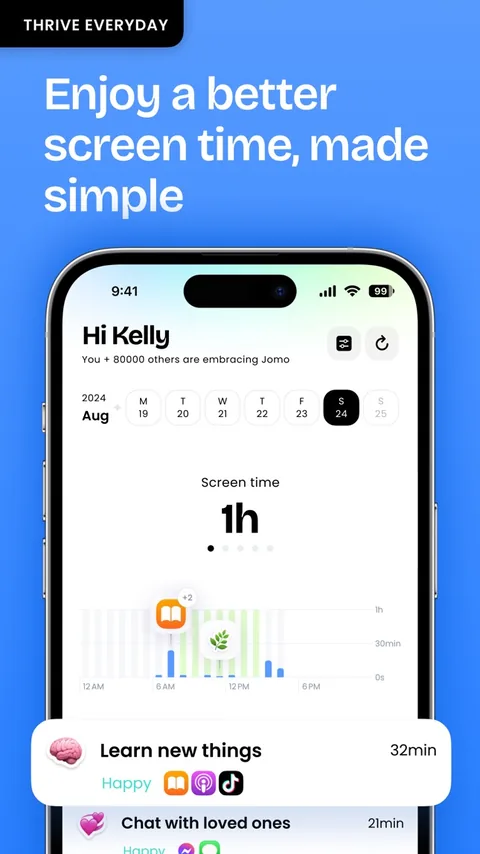
Jomo is built on rules: block apps, websites or whole categories at set times, after a time limit, or until you take an action. Sessions cover focused stretches, Squads let you do it with friends, and Strict Mode can lock a block so it can't be switched off. It runs on iPhone, iPad and Mac.
Best for: tinkerers who want their own setup on a smaller budget.
Watch out for: the free plan allows one session and one limit, and Strict Mode comes with Jomo Plus: $29.99 a year after a 3-day trial, $5.99 a month or $99.99 once.
9. Forest: best for focus sessions
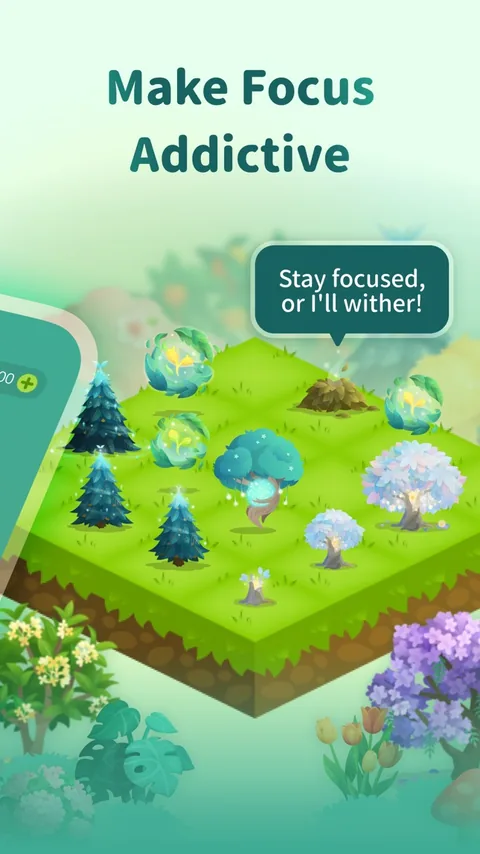
Forest is a focus timer first: start a session and a tree grows; leave for another app and it withers. Deep Focus blocks the apps you choose during a session, and Time Guard schedules phone-free windows.
Best for: students and anyone who works in focused blocks and likes a visible reward.
Watch out for: it's a timer more than a blocker; its blocking protects the sessions you start and the windows you schedule. Free with no time limit; Forest Plus is optional.
10. Apple Screen Time: the free one already on your phone
Every iPhone has a free blocker built in: App Limits and Downtime on iOS 26 and earlier, reorganized in iOS 27 as Time Allowances and Screen Time Schedules (steps below). The catch is in Apple's iOS 26 guide: "By default, Screen Time limits can be ignored once reached." A Screen Time passcode lets Downtime block for real, but if you set it yourself, you know the code.
Best for: a free first step, especially if your habit is mild.
Watch out for: limits that give way with a tap, unless you lock them with a passcode you already know.
How to block apps on iPhone without an app
On iOS 27, open Settings, then Screen Time:
- Tap Time Allowances and drag the slider for your daily total. To cap one kind of app, tap Manage Categories, add a category such as Social Media, then set its own allowance.
- Tap Screen Time Schedule, turn on Schedule, tap Add Schedule, pick the days, then set time windows and the categories each allows. An evening window is a simple fix for revenge bedtime procrastination.
- Add must-haves, such as Maps or the family members you'd call, under Always Allowed, then protect it all with Manage Screen Time, Lock Screen Time Settings.
On iOS 26 and earlier, open Settings, then Screen Time (turn on App & Website Activity if it's off):
- Tap App Limits, then Add Limit, choose categories or apps, tap Next and set the time.
- Tap Downtime, then Scheduled, and set the hours.
- Set a Screen Time passcode and turn on Block at Downtime, so apps can't open during downtime instead of just showing a reminder.
If you wanted to lock apps on iPhone so other people can't open them, that's a different tool: touch and hold the app, then tap Require Face ID. It keeps others out, not you.
How to choose
Start with your real numbers. People's estimates of their own screen time match what their devices record only moderately [6], so check Screen Time's weekly report and note the two or three apps that take the most.
Then match the tool to how you slip:
- Autopilot opening: a pause (one sec, Clearspace or ScreenZen).
- Blowing through your own limits: a block without an easy override (Unrotten, Opal's Hard Mode, Jomo's Strict Mode or Brick).
- Needing distance: Brick, or a timed box for the whole phone.
- Friends keep you going: BePresent, Opal, Jomo's Squads or Clearspace's partners.
- Wanting the habit itself to change: goals and a coach (Unrotten).
- Not wanting to pay: Screen Time, ScreenZen or a free tier.
If one or two social apps are the whole problem, any of these works as a social media blocker app; choose by how you slip. And aim for less, not zero: one hour less a day has research behind it [3].
Start with one app and one rule
The best app blocker for iPhone is the one still switched on next month, because limits help most while they hold [2]. Start small: your worst app, one rule, two weeks. Overriding it? Go one step firmer. Holding it but still feeling the pull? That's where a coach and a reason to stop earn their place, and why we built Unrotten. For the habit itself, read how to stop doomscrolling.
If the scrolling comes with low mood, anxiety or sleep trouble that won't lift, a doctor or therapist can help. A blocker is a tool for a habit, not a treatment.
Questions people ask
What is the best app blocker for iPhone?
It depends on how you slip. For changing the habit, Unrotten pairs shields that have no Ignore Limit button with goals and an AI Coach. For a strict blocker, Opal. For a pause before you open an app, one sec. For free, ScreenZen or Apple's Screen Time. For a physical lock, Brick.
Is there a free app blocker for iPhone?
Yes. Apple's Screen Time is built in and free, and ScreenZen is free and supported by donations. Opal, one sec, Jomo and Clearspace have free versions with limits, and Forest is free with optional extras. Unrotten has no free tier, but you can try it free for 7 days.
How do I block apps on iPhone without an app?
Use Screen Time in Settings. On iOS 26 and earlier, set App Limits and Downtime; on iOS 27, set Time Allowances and a Screen Time Schedule. Apple's guide notes that by default, limits can be ignored once reached, so add a Screen Time passcode if you want them to hold.
Do app blockers actually work?
The research is encouraging. In a randomized trial, two weeks without mobile internet improved attention and well-being, and a six-week study of the one sec app found 57% fewer app openings. Limits help most while they stay in place, so choose one you will keep.
References
- Castelo N, Kushlev K, Ward AF, Esterman M, Reiner PB. "Blocking mobile internet on smartphones improves sustained attention, mental health, and subjective well-being." PNAS Nexus. 2025;4(2):pgaf017. doi:10.1093/pnasnexus/pgaf017 ↩
- Pieh C, Humer E, Hoenigl A, et al. "Smartphone screen time reduction improves mental health: a randomized controlled trial." BMC Medicine. 2025;23(1):107. doi:10.1186/s12916-025-03944-z ↩
- Brailovskaia J, Delveaux J, John J, et al. "Finding the 'sweet spot' of smartphone use: Reduction or abstinence to increase well-being and healthy lifestyle?! An experimental intervention study." Journal of Experimental Psychology: Applied. 2023;29(1):149-161. doi:10.1037/xap0000430 ↩
- Grüning DJ, Riedel F, Lorenz-Spreen P. "Directing smartphone use through the self-nudge app one sec." Proceedings of the National Academy of Sciences. 2023;120(8):e2213114120. doi:10.1073/pnas.2213114120 ↩
- Olson JA, Sandra DA, Chmoulevitch D, Raz A, Veissière SPL. "A Nudge-Based Intervention to Reduce Problematic Smartphone Use: Randomised Controlled Trial." International Journal of Mental Health and Addiction. 2023;21(6):3842-3864. doi:10.1007/s11469-022-00826-w ↩
- Parry DA, Davidson BI, Sewall CJR, et al. "A systematic review and meta-analysis of discrepancies between logged and self-reported digital media use." Nature Human Behaviour. 2021;5(11):1535-1547. doi:10.1038/s41562-021-01117-5 ↩
Written by
Maren AshbyCOO, Unrotten
Maren Ashby is the COO of Unrotten, the iPhone app that helps people take their attention back from the feed. She writes about the research on phones, sleep and focus, and about the small, practical changes that make a phone easier to put down.