

Blog/Comparison
ScreenZen Review: How the Free Screen Time App Works
How ScreenZen's wait before an app opens works, what its strict blocks and locks add, what Halo costs, and who should choose something else.


In this article
ScreenZen doesn't slam the door on your apps. It makes you wait at it. Open Instagram and you sit through a short pause, sometimes a question ("Is this important?"), before you choose whether to go in, and the wait can grow each time you come back. It's free, it's rated 4.9 stars by more than 52,000 people on the US App Store, and the research behind its main idea is unusually good.
Disclosure: Unrotten, one of the alternatives below, is made by the team behind this blog. We checked ScreenZen on October 29, 2026, against its US App Store listing and its official website, and every other app against its own listing and site the same day. We didn't lab-test anything: every price, rating and feature here comes from those pages.
ScreenZen at a glance
- What it is: a screen time app by ScreenZen LLC, on the App Store since July 2021. Its website lists versions for iOS, macOS, Windows and Android.
- Price: free, with optional tips from $5 to $40. Halo, an optional device, is $49.
- Needs: iOS 16.4 or later.
- Rating: 4.9 stars from about 52,700 US App Store ratings.
- Best for: people who open apps on autopilot and want friction more than a wall.
- Watch out for: most of the friction can be waited out unless you switch on the strict parts.
How ScreenZen works
ScreenZen stacks several kinds of friction between you and the apps you choose. You can use one or all of them, set differently for each app, each day of the week and each time of day.
A wait before the app opens
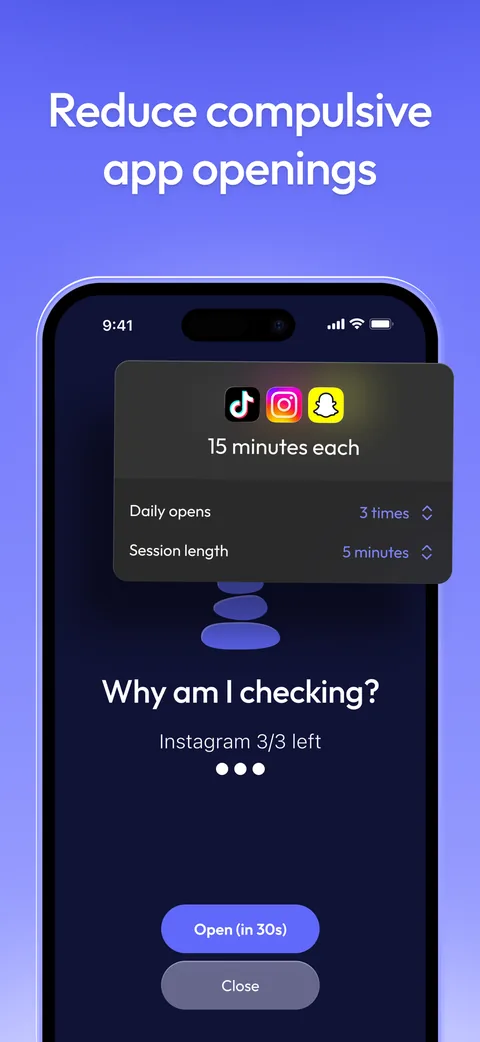
When you open a chosen app, ScreenZen steps in first. You wait, you see a message such as "Is this important?", and then you either open the app or close it. The wait can grow each time you open the same app, and while it runs ScreenZen offers breathing and other short activities, so the urge has somewhere else to go. It can also let you into an app for short stretches only, interrupting a scroll before it swallows the evening.
Goals, strict blocks and streaks
- App goals can block an app once you reach your limit, and since version 4.0 a daily goal sets a screen time budget for your whole day.
- Strict blocks shut apps for a time range, after a number of opens, or after a set amount of screen time.
- Streaks count the days you stay within your limits without overriding your settings.
- Screen time for your distracting apps only. As the listing puts it, "Don't worry about Google Maps bloating up your time."
Locks that keep the strict parts strict
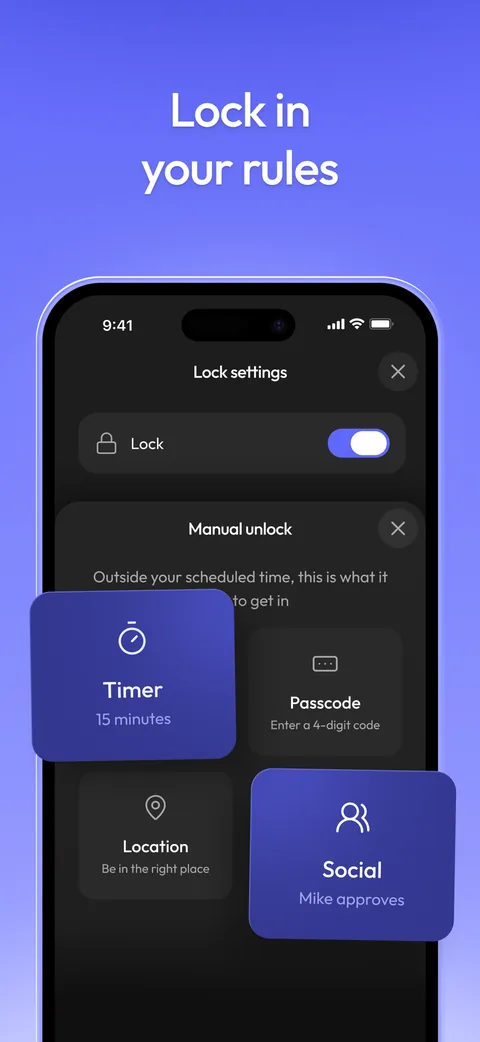
Friction only helps if you can't switch it off the moment you want in. ScreenZen can lock its own settings, and its website says lock mode "protects against common loopholes" and can stop you uninstalling the app. Version 4.0, released in September 2026, lets a lock open at a time you choose, or through an accountability partner who can let you back in. Its App Store screenshots show a 15-minute timer, a passcode and a location as other ways to unlock.
Minimal and Practice
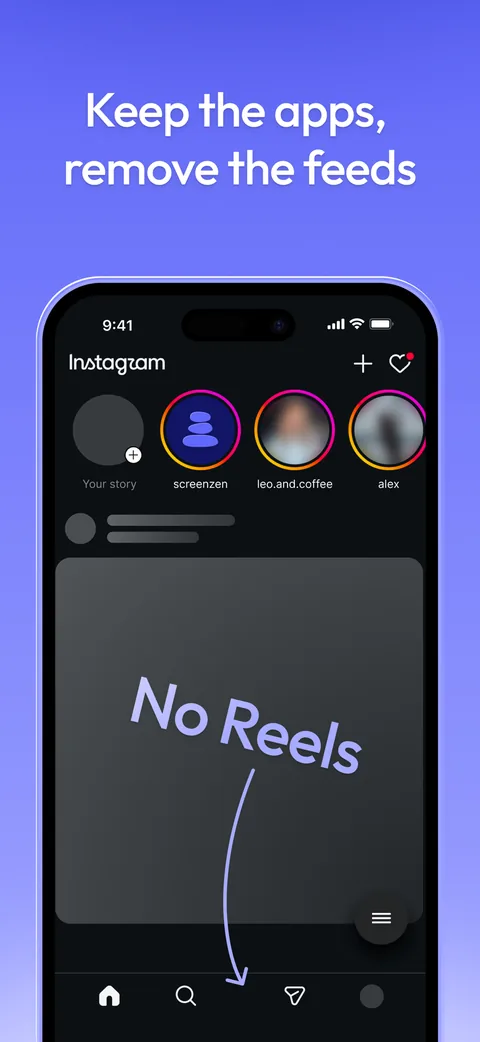
Two features arrived with version 4.0. Minimal lets you use Instagram, YouTube, TikTok, Reddit "and more without Reels, Shorts or endless feeds," with options to keep only messages. Practice turns the urge into a trade: breathe, journal or learn something, such as a word in another language, and earn your opens.
Halo: a room your apps can't follow you into
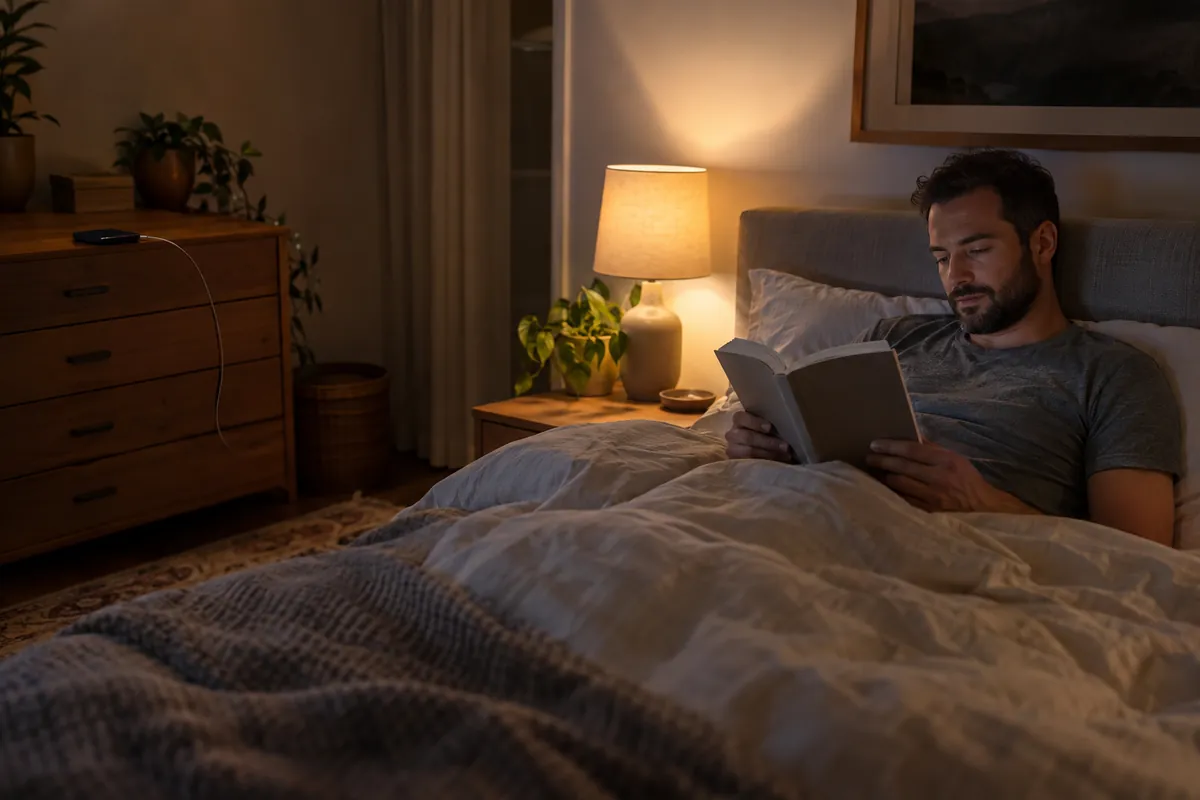
Halo is ScreenZen's one paid product: a $49 device (two for $88.20) for your bedroom, your desk or a shared space. It uses Bluetooth to tell when you're inside a radius you set, up to 50 feet, and blocks the apps you chose, or your whole phone, until you leave. ScreenZen's lock mode covers it too. It ships only in the US, with free shipping, and needs a ScreenZen account; the app stays free. A Scroll zone mode turns the idea around, so your apps unlock in only one spot and scrolling becomes something you go somewhere to do.
What ScreenZen costs
The app is free, and it seems to mean it. ScreenZen's website says "ScreenZen is completely free" and calls it "the only donation-supported screen time app." On October 29, 2026, the in-app purchases on its US App Store listing were four optional tips: $5, $10, $20 and $40. Halo costs $49 once.
Its App Store privacy label, which developers fill in themselves, lists only usage data and diagnostics, not linked to your identity, and no data used to track you.
Does a wait before opening an app work?
We found no published trial of ScreenZen itself. Its website says users "take back 3 hours of screen time everyday," on average "as reported by users," and self-reports are the kind of number the research below treats with care. The ideas ScreenZen is built on have been tested, though.
A pause cuts openings, and the way out matters most. In a six-week field study of one sec, an app that shows a short pause before a chosen app opens, 280 people turned back 36% of the times they tried to open one of those apps, and by the end they were opening them 57% less. A follow-up experiment with 500 people pulled the pause apart: the option to back out had the strongest effect, the wait also reduced viewing, and a reflective message on its own made no difference [1].
In the experiment, the wait helped, the question didn't, and an easy way out helped most.
For ScreenZen, that points to the Close button and the growing wait as the parts doing the work, more than the words on the screen.
People choose limits they can't easily undo. In a 12-week experiment with about 2,000 American adults on Android phones, people were offered app limits that took effect the next day and mostly couldn't be overridden on the spot. Nobody paid them to, yet 78% set limits that bound and kept them to the end, and their time on social apps, browsers and YouTube fell by 22 minutes a day, or 16% [2]. ScreenZen's strict blocks and locks are that kind of limit, if you choose them.
Several small changes beat watching the numbers. In a randomized trial, people who picked from ten simple changes, such as turning off non-essential notifications and switching their screen to grayscale, cut their screen time and problematic use and slept better than people who only monitored their screen time [3]. Stacking friction is ScreenZen's whole design.
Your own guess is a poor guide. A meta-analysis of 106 results found that people's estimates of their media use match the logs of their actual use only moderately, and rarely accurately [4]. ScreenZen's count of your distracting apps alone is a better starting point than a feeling, and our page on how much screen time is too much helps you read it.
Short videos are the hardest feeds on attention. A 2025 meta-analysis of 71 studies and more than 98,000 people found that heavier short-form video use went with poorer attention and inhibitory control, the strongest links in the review [5]. The studies were mostly correlational, so they can't show the videos caused the problems, but it's the format Minimal strips out.
Where ScreenZen may not suit you
- If you want a wall, not a wait. Most of ScreenZen's friction can be sat out. Only the strict blocks and the locks hold, and you have to set them up.
- If you'd rather not design your own system. ScreenZen calls itself the "most customizable app blocker," which also means the choices are yours to make.
- If you're outside the US and want Halo. It ships only in the US.
ScreenZen vs the alternatives
| App | Price (US) | How it blocks | Free version | App Store rating (US) |
|---|---|---|---|---|
| ScreenZen | Free; optional tips; Halo $49 | A wait before apps open, daily goals, strict blocks, locked settings | Yes, all features | 4.9 (52,700 ratings) |
| Unrotten | $69.99/yr after a 7-day free trial, or $14.99/mo | Screen Time shields tied to goals, with an AI Coach | No (7-day free trial) | New (October 2026) |
| Opal | Free plan; Pro $99.99/yr, $19.99/mo or $399 once | Screen Time rules on schedules, time limits and open limits; hardcore sessions can't be ended early (Pro) | Yes (1 rule) | 4.7 (90,500 ratings) |
| one sec | Free for 1 app; Pro $19.99/yr, $6.99/mo or $99.99 once | A breathing pause before an app opens | Yes (1 app) | 4.8 (23,800 ratings) |
| Forest | Free; Forest Plus listed at $5.99/mo or $32.49 to $35.99/yr | A focus timer that grows a tree; app blocking in sessions and on a schedule | Yes | 4.8 (49,600 ratings) |
Checked October 29, 2026, on the US App Store and the makers' own websites.
Unrotten: best if you want a reason to stay away, not only a wait
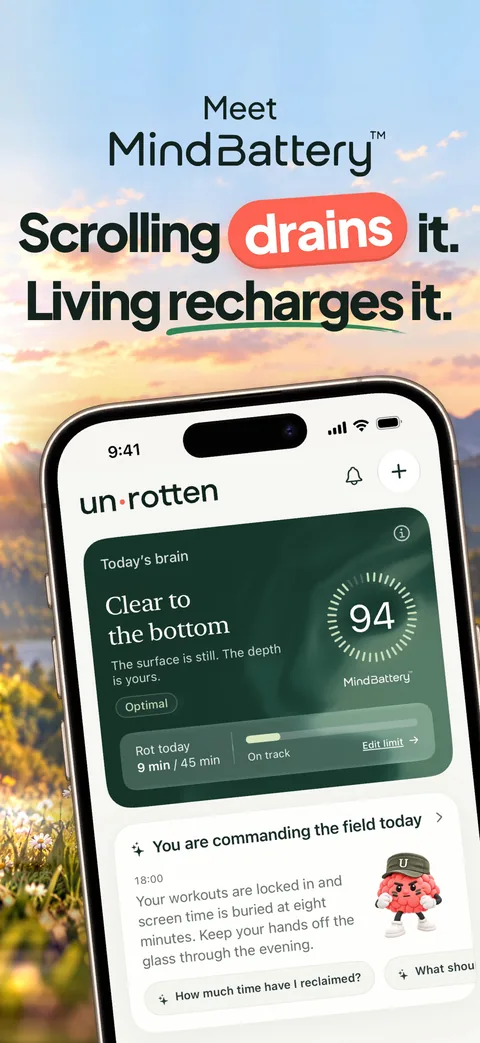
ScreenZen asks whether this is important at the door. Unrotten shows you what the scrolling costs across the whole day. The MindBattery, a score from 0 to 100 on your Lock Screen, in the Dynamic Island and in Home Screen widgets, drains while you use the apps you've chosen and recharges with sleep, movement, mindful minutes and time away from them.
Goals set the limits: a daily limit (Less scrolling), a session length (Shorter scroll sessions) or a daily target for how often you open those apps (Fewer app returns). When you reach one, Apple's Screen Time shield locks the apps, with no "ignore limit" button, until the limit resets or the break ends. An AI Coach, drawn like iOS Messages, sends a morning message, checks in on the plans you share and nudges you when the scrolling runs fast.
Compared with ScreenZen: Unrotten isn't free: it's $69.99 a year after a 7-day free trial, or $14.99 a month. It's an iPhone app (iOS 17 or later) with no Android, Mac or Windows version, and it's new, on the App Store since October 14, 2026. Its shields lock rather than delay, though turning a goal off lifts that goal's shield.
Opal: best for strict blocking with a free plan
Opal blocks on schedules, time limits and open limits, and its strictest difficulty, part of Opal Pro, won't let you end a session early. Read our full Opal review.
one sec: the pause with the published evidence
one sec plays a breathing animation before a chosen app opens, through a Shortcuts automation, and then lets you decide. Its field study is the one described above [1], though one of the study's three authors created the app. It's free for one app, and Pro is $19.99 a year.
Forest: best if the goal is focus time
Forest grows a virtual tree while you stay off your phone and lets it wither if you leave for another app. Read our Forest app review, or compare more options in our guide to the best app blockers for iPhone.
Should you use ScreenZen?
It costs nothing to find out. Pick your two worst apps, set a wait that grows each time, turn on the settings lock and look at your numbers after a week. If the pause alone breaks the reflex, you've found your app, for free.
If you catch yourself sitting out the wait every evening, the friction isn't enough for your habit. Turn on strict blocks, or try a daily limit in Unrotten whose shield holds until the day resets.
Questions people ask
Is ScreenZen really free?
Yes. On October 29, 2026, ScreenZen's website said the app is completely free and supported by donations, and the only in-app purchases on its US App Store listing were optional tips from $5 to $40. Halo, an optional device that keeps a room free of your chosen apps, costs $49.
How does ScreenZen work?
When you open an app you've chosen, ScreenZen makes you wait first, with a prompt such as "Is this important?", and the wait can grow each time. You can also set goals that block an app once you reach them, strict blocks by time, number of opens or screen time, and locks that stop you changing your settings.
Can you get around ScreenZen?
Its waits are friction you can sit out. The strict blocks hold, and its website says lock mode can stop you uninstalling the app and make limits much harder to bypass. Since version 4.0, a locked setting can open at a time you choose or through an accountability partner. You have to switch these on.
What is ScreenZen Halo?
Halo is a $49 device you place in a room, such as your bedroom. It uses Bluetooth to tell when you're inside a radius you set, up to 50 feet, and blocks the apps you chose, or your whole phone, until you leave. In October 2026 it shipped only in the US and needed a ScreenZen account.
Does ScreenZen work on Android or Mac?
ScreenZen's website calls it the only free screen time app for iOS, macOS, Windows and Android. On an iPhone it needs iOS 16.4 or later.
References
- Grüning DJ, Riedel F, Lorenz-Spreen P. "Directing smartphone use through the self-nudge app one sec." Proceedings of the National Academy of Sciences. 2023;120(8):e2213114120. doi:10.1073/pnas.2213114120 ↩
- Allcott H, Gentzkow M, Song L. "Digital Addiction." American Economic Review. 2022;112(7):2424-2463. doi:10.1257/aer.20210867 ↩
- Olson JA, Sandra DA, Chmoulevitch D, Raz A, Veissière SPL. "A Nudge-Based Intervention to Reduce Problematic Smartphone Use: Randomised Controlled Trial." International Journal of Mental Health and Addiction. 2023;21(6):3842-3864. doi:10.1007/s11469-022-00826-w ↩
- Parry DA, Davidson BI, Sewall CJR, Fisher JT, Mieczkowski H, Quintana DS. "A systematic review and meta-analysis of discrepancies between logged and self-reported digital media use." Nature Human Behaviour. 2021;5(11):1535-1547. doi:10.1038/s41562-021-01117-5 ↩
- Nguyen L, Walters J, Paul S, Monreal Ijurco S, Rainey GE, Parekh N, et al. "Feeds, feelings, and focus: A systematic review and meta-analysis examining the cognitive and mental health correlates of short-form video use." Psychological Bulletin. 2025;151(9):1125-1146. doi:10.1037/bul0000498 ↩
Written by
Maren AshbyCOO, Unrotten
Maren Ashby is the COO of Unrotten, the iPhone app that helps people take their attention back from the feed. She writes about the research on phones, sleep and focus, and about the small, practical changes that make a phone easier to put down.