

Blog/Roundup
The Best Opal Alternatives for iPhone in 2026, Compared
Eight apps to try instead of Opal, whether you want a lower price, a free plan, a gentler pause, a physical lock or a coach.


In this article
Opal is one of the best-known app blockers on the iPhone, and it earned that. But maybe the yearly price stopped you at the paywall, or you'd rather be nudged than locked out, or you want an app that helps you change the habit, not only block it.
The right Opal alternative depends on what you wanted from Opal in the first place.
Disclosure: Unrotten is made by the team behind this blog, which is why it comes first among the alternatives. We checked every app on October 23, 2026, from its US App Store listing and its official website, and Apple's Screen Time from Apple's own guide. We didn't lab-test anything: every price, rating and feature below comes from those pages.
Opal at a glance
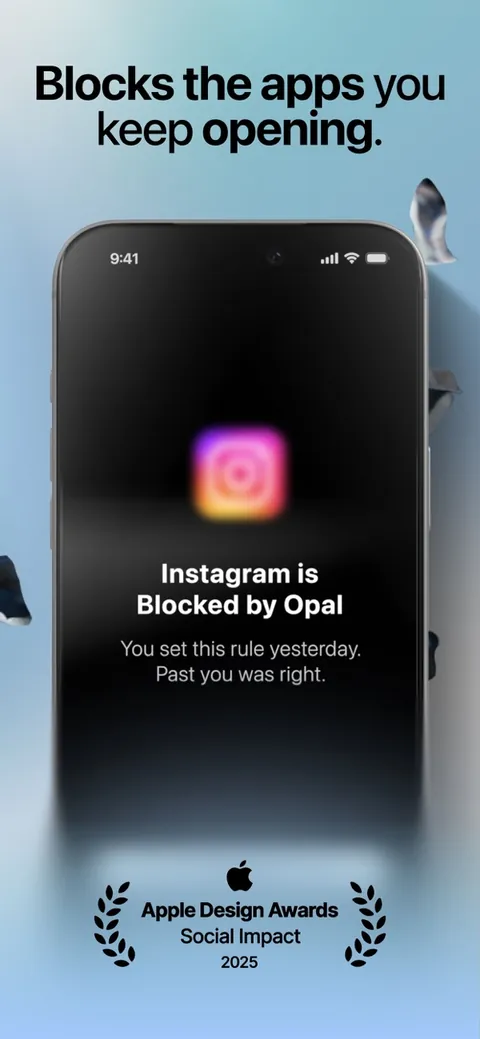
Opal uses Apple's Screen Time API to block apps on schedules, after time limits or after a number of opens, with focus timers and an Opal Score on top. Its strict settings are the draw: the App Store listing says Deep Focus is "the maximum level of protection," one you "can't bypass or cancel," and its pricing page sums up Pro's Hard Mode as "No way out." It has 4.7 stars from about 90,000 US ratings, and it runs on iPhone, Mac and Android.
What it costs: a free plan (its pricing page lists one rule, though its latest App Store release notes say everyone has unlimited Rules), and Opal Pro at $99.99 a year with a free week, $19.99 a month or $399 once, with up to 50% off for students. On an iPhone it needs iOS 18 or later.
Why people look for an Opal alternative
Opal does what it does well, so the reasons are mostly about fit:
- The price. $99.99 a year is the highest yearly price in this guide.
- An older iPhone. Opal needs iOS 18; every alternative here but Brick runs on iOS 17.
- A different approach. A pause instead of a wall, a physical key, friends keeping score, your laptop blocked too, or a coach.
The quick comparison
| App | Price (US) | How it blocks | Free version | App Store rating (US) |
|---|---|---|---|---|
| Opal (for comparison) | Free plan; Pro $99.99/yr, $19.99/mo or $399 once | Screen Time blocks, limits and schedules; Deep Focus can't be cancelled | Yes | 4.7 (90K ratings) |
| Unrotten | $69.99/yr after a 7-day trial, or $14.99/mo | Screen Time shields tied to goals: a daily limit, session breaks, schedules | No (7-day free trial) | New (October 2026) |
| ScreenZen | Free; optional tips | A wait before opening; limits; strict blocks | Yes, all features | 4.9 (52K ratings) |
| one sec | Free for 1 app; Pro $19.99/yr, $6.99/mo or $99.99 once | A breathing pause before the app opens | Yes (1 app) | 4.8 (24K ratings) |
| Jomo | Free plan; Plus $29.99/yr, $5.99/mo or $99.99 once | Screen Time rules and sessions; Strict Mode | Yes (1 session, 1 limit) | 4.8 (2.5K ratings) |
| Brick | $59 once for the device; free app | Tap your phone on the Brick to start and end a block | No (needs the device) | 4.9 (58K ratings) |
| Freedom | Free plan; Premium $39.99/yr or $8.99/mo | Sessions that block apps, sites or the whole internet on all your devices | Yes | 4.4 (6K ratings) |
| BePresent | Plans listed from $3.99/mo to $59.99/yr | Screen Time sessions, a daily goal, leaderboards; optional money stake | Free trial; free tier not stated | 4.8 (69K ratings) |
| Apple Screen Time | Free, built in | Daily limits and schedules, ignorable by default | Yes | Built into iOS |
Checked October 2026 on the US App Store and each maker's site. Prices change, so check the App Store before you pay.
What makes a blocker work, whichever you pick
What matters most is whether a tool still works on a tired night three weeks from now. Four findings:
- Firm limits get used. In a 12-week experiment with about 2,000 American adults on Android phones, people were offered app limits that took effect the next day and, unlike Screen Time's flexible limits, mostly couldn't be overridden on the spot. Nobody paid them to, yet 78% set limits that bound and kept them to the end, and their time on social apps, browsers and YouTube fell by 22 minutes a day, or 16% [1].
- A pause works best with an exit. In a six-week study of the one sec app, people backed out after its pause 36% of the time, and actual openings of the apps they'd chosen fell 57%. A follow-up experiment found that the option to back out did the most work [2].
- Limits help while they're on. Students who kept their phone to two hours a day for three weeks felt better and slept better than a control group, small to medium effects, and their screen time climbed back once the limit ended [3].
- Free changes come first. In a randomized trial, people who made simple changes, such as turning off non-essential notifications and switching to grayscale, cut their screen time and problematic use and slept better than people who only tracked their screen time [4].
Offered a limit they couldn't easily undo, most people took it and kept it.
The 8 best Opal alternatives for iPhone
1. Unrotten: best for goals and a coach, not just a wall
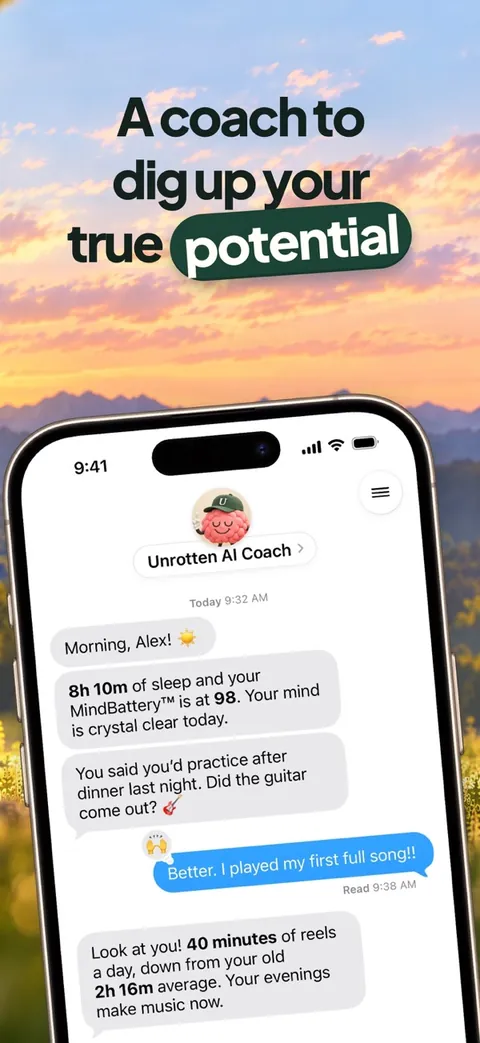
Unrotten blocks through Apple's Screen Time framework, as Opal does, but builds everything around goals. You choose your rot apps, the ones that eat your time, and turn on goals such as Less scrolling (a daily limit), Shorter scroll sessions (past a session length you set, the apps take a break) or Calmer evenings (a protected window each evening). The shield that locks those apps has no "ignore limit" button, holds until the limit resets or the window ends, and a limit you raise mid-day only counts from tomorrow.
Around the wall is the reason to stop. An AI Coach, drawn like iOS Messages, knows your goals and your day (never the names of your apps), sends a morning message and nudges you when your scrolling runs fast; you pick the Wise Coach, the Stoic Coach or the Drill Sergeant. The MindBattery, a score from 0 to 100 on your Lock Screen and in the Dynamic Island, drains while you use your rot apps and recharges with sleep, movement and time away from them.
Compared with Opal: $69.99 a year against Opal Pro's $99.99, and it runs on iOS 17 or later, where Opal needs iOS 18. Opal has a free plan and apps for Android and Mac; Unrotten has neither.
Best for: people who want limits that hold and a reason to keep them.
Watch out for: there's no free tier, only a 7-day free trial. It's new (on the App Store since October 14, 2026), so it has no ratings yet. And it's a commitment device, not a vault: turning a goal off, or removing its Screen Time access, lifts that goal's shield.
2. ScreenZen: best free Opal alternative
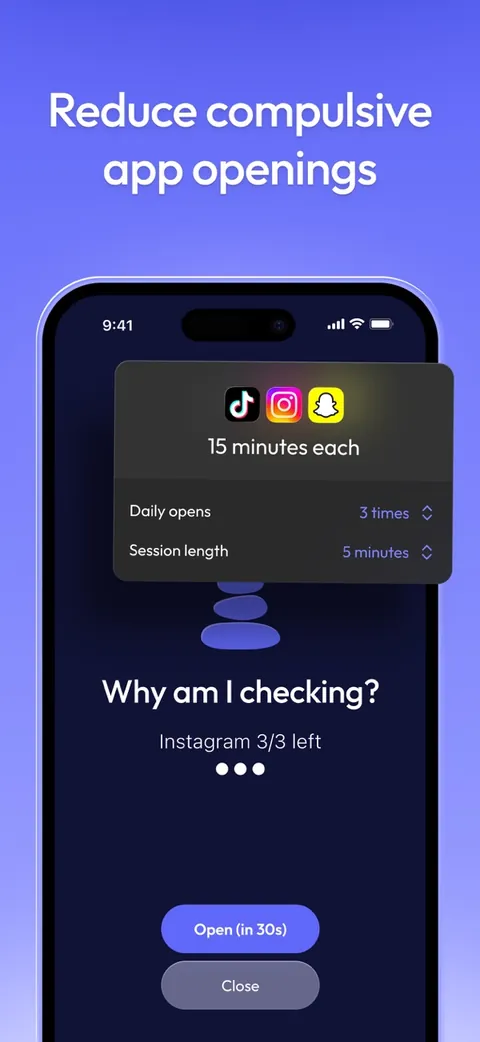
ScreenZen is completely free, supported by optional tips. It stacks friction: a wait before a chosen app opens, interruptions that break up a long scroll, daily goals that can block an app, and strict blocks by time of day or number of opens. Locks on its own settings, and a lock mode its site says can stop you uninstalling it, keep the strict parts in place.
Compared with Opal: free, on iOS 16.4 or later, and its site lists versions for macOS, Windows and Android.
Best for: anyone who wants a capable blocker without a subscription.
Watch out for: most of its tools are friction you can wait out; only the strict blocks and locks hold, and you have to switch them on.
3. one sec: best for a pause instead of a wall
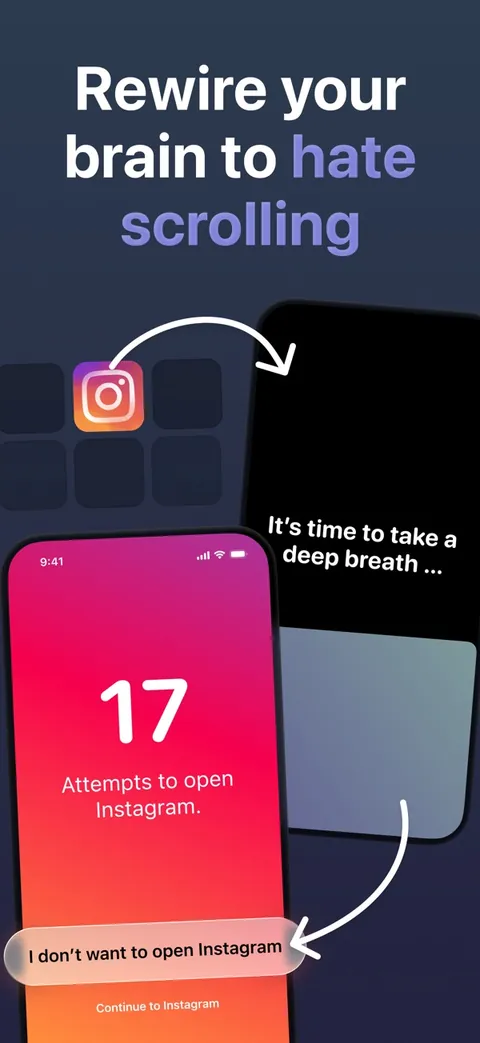
one sec doesn't lock you out; it makes you wait. When you open an app you've chosen, a deep-breath animation plays first (through an iOS Shortcuts automation), and then you decide whether to go in. The evidence is unusually good for an app: the 36% and 57% figures above come from its peer-reviewed field study [2], though one of the study's three authors created the app.
Compared with Opal: free for one app; Pro is $19.99 a year, $6.99 a month or $99.99 once. It runs on iOS 15 or later, and on Android.
Best for: the thumb that opens Instagram before you've decided to.
Watch out for: a pause delays you rather than stopping you, by design, so on a determined night you can still go in.
4. Jomo: best for your own rules on a smaller budget
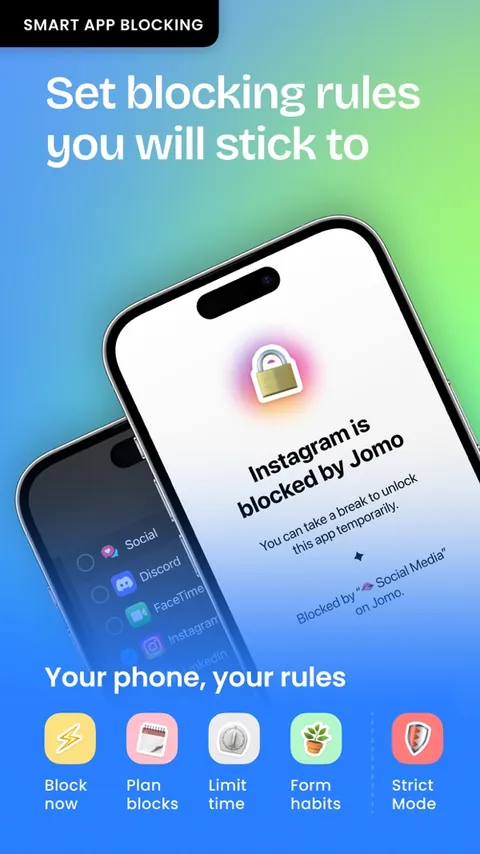
Jomo is built from rules you put together yourself: block now, on a schedule, after a daily limit on time or opens, or until you complete an action such as a walk. Like Opal, it uses Apple's Screen Time API, and its Strict Mode lets you "lock the block so it can't be disabled."
Compared with Opal: Jomo Plus is $29.99 a year after a 3-day trial, $5.99 a month or $99.99 once. It runs on iOS 16 or later and on the Mac.
Best for: tinkerers who want a strict setup for less.
Watch out for: the free plan covers one session and one limit, and Strict Mode needs Jomo Plus.
5. Brick: best physical alternative
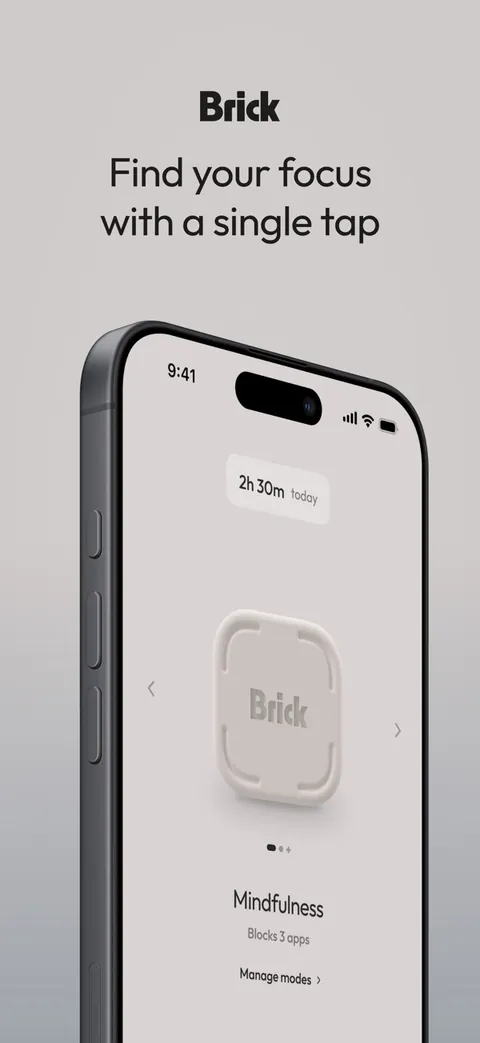
Brick moves the off switch out of your phone. Choose the apps to block in the free app, tap your phone on the Brick, a small device, and they stay blocked until you tap it again. Leave the Brick at home or in a drawer and willpower turns into distance: as its listing puts it, Brick "isn't on the phone you're trying to put down." Five Emergency Unbricks cover real emergencies.
Compared with Opal: $59 once for the device and no in-app purchases, against $99.99 a year. It needs iOS 18 or later, like Opal, and has an Android app.
Best for: people who want a physical commitment and no subscription.
Watch out for: if the Brick is across town, so is your way out, short of an emergency unbrick. To lock away the whole phone instead, see our guide to phone lock boxes.
6. Freedom: best for blocking on every device
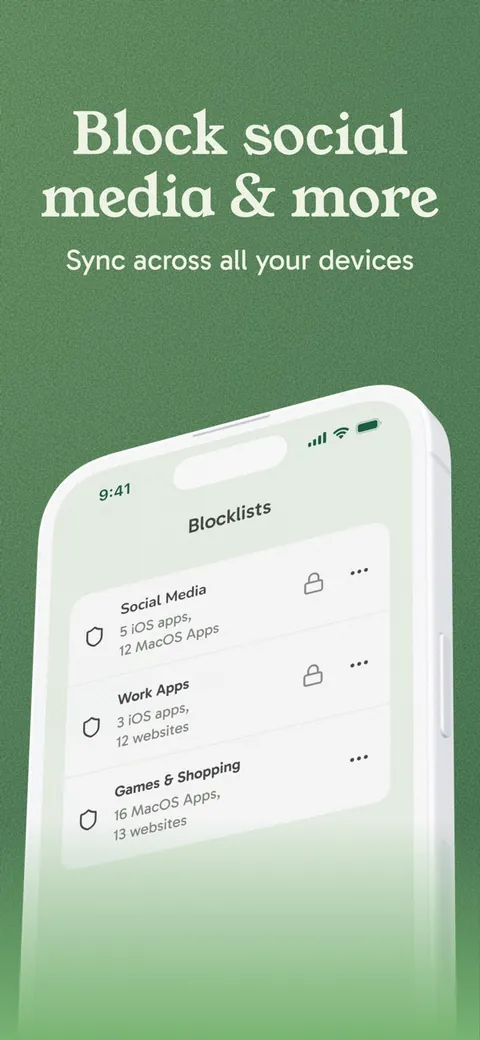
Freedom blocks apps, websites or the whole internet in sessions, and syncs them across your devices: Mac, Windows, iPhone, Android and Chromebook, with no limit on how many. Premium adds sessions that start on a schedule or repeat through the week, and Locked Mode, which "prevents quitting so you stay committed."
Compared with Opal: the free plan already syncs unlimited devices; Premium is $39.99 a year after a 7-day trial, or $8.99 a month.
Best for: people whose laptop is part of the problem too.
Watch out for: scheduling and Locked Mode, the parts that make it stick, are Premium. Its 4.4 App Store rating is the lowest here.
7. BePresent: best for friends and streaks
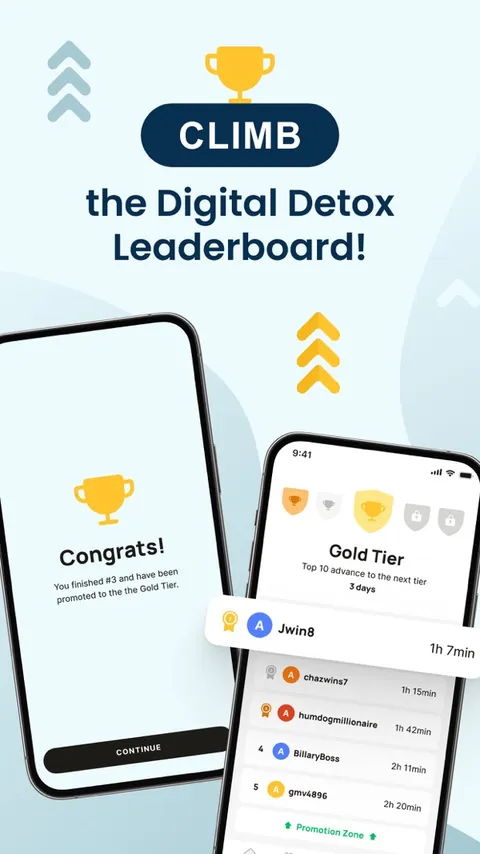
BePresent turns cutting back into a game you play with other people: a daily screen time goal and streaks, blocking sessions (including a strict BEAST MODE), leaderboards and groups. You can even back a goal with money; go over, and in its listing's words, "that stake's gone." It uses Apple's Screen Time API, as Opal does.
Compared with Opal: its App Store listing shows plans from $3.99 a month to $59.99 a year, with free trials. It runs on iOS 16 or later and has an Android app.
Best for: people who stay on track when friends can see the score.
Watch out for: with so many plans listed, check the price in the app before a trial ends.
8. Apple Screen Time: the free option already on your iPhone
Every iPhone has a free blocker built in: daily app limits and a Downtime schedule, in Settings, then Screen Time. The catch is in Apple's own guide: "By default, Screen Time limits can be ignored once reached" [5]. A Screen Time passcode can make the schedule hold, but if you set it yourself, you know it. Our guide to locking apps on iPhone has the steps for each iOS version.
Best for: a free first step, especially if your habit is mild.
Watch out for: limits that give way with a tap.
Is Opal worth it?
It can be. If you want firm, polished blocking with scores and focus timers across your iPhone, Mac and Android phone, and $99.99 a year (or $399 once) suits your budget, Opal does that well. Look elsewhere if the price is the sticking point, your iPhone can't run iOS 18, or you want a different approach to the habit.
How to choose
Start from the reason you're shopping:
- The price: ScreenZen or Apple's Screen Time (free), one sec ($19.99 a year), Jomo ($29.99), Freedom ($39.99) or Unrotten ($69.99 after a 7-day free trial).
- You'd rather be nudged than locked out: one sec or ScreenZen.
- You want the lock outside your phone: Brick, or a timed box for the whole phone.
- Friends keep you going: BePresent.
- Your laptop is the problem too: Freedom.
- You want the habit to change, not just the access: goals, a coach and a battery you can watch drain, in Unrotten.
For more options, see our guide to the best app blockers for iPhone.
Before you switch
If you pay for Opal through the App Store, cancel it before your next renewal: in Settings, tap your name, then Subscriptions, then Opal, then Cancel Subscription. For a free trial, Apple says to cancel at least 24 hours before it ends [6].
Pick the reason, then the app
Choose one app, set one rule on your worst app, and give it two weeks. If you override it, go one step firmer; if it holds but the pull doesn't fade, that's where goals and a coach earn their place. And if the scrolling comes with low mood, anxiety or sleep trouble that won't lift, a doctor or therapist can help.
Questions people ask
What is the best alternative to Opal?
It depends on why you're leaving. For goals and a coach on top of limits that hold, Unrotten. For free, ScreenZen or Apple's Screen Time. For a pause instead of a block, one sec. For your own rules on a smaller budget, Jomo. For a physical lock, Brick. For every device, Windows included, Freedom.
Is there a free alternative to Opal?
Yes. ScreenZen is completely free and supported by tips, and Apple's Screen Time is built into every iPhone. one sec is free for one app, and Jomo and Freedom have free plans. Opal has a free plan too.
Is Opal worth it?
If you want a polished, strict blocker and the price suits you, it can be: Opal has 4.7 stars from about 90,000 US ratings, and its Deep Focus mode can't be cancelled once it starts. If the price, an older iPhone or a different approach matters more, one of the alternatives may fit better.
Which Opal alternative is cheapest?
ScreenZen and Apple's Screen Time are free. Among paid plans checked in October 2026, one sec Pro is $19.99 a year, Jomo Plus $29.99, Freedom Premium $39.99 and Unrotten $69.99 after a 7-day free trial, against $99.99 a year for Opal Pro.
References
- Allcott H, Gentzkow M, Song L. "Digital Addiction." American Economic Review. 2022;112(7):2424-2463. doi:10.1257/aer.20210867 ↩
- Grüning DJ, Riedel F, Lorenz-Spreen P. "Directing smartphone use through the self-nudge app one sec." Proceedings of the National Academy of Sciences. 2023;120(8):e2213114120. doi:10.1073/pnas.2213114120 ↩
- Pieh C, Humer E, Hoenigl A, Schwab J, Mayerhofer D, Dale R, et al. "Smartphone screen time reduction improves mental health: a randomized controlled trial." BMC Medicine. 2025;23(1):107. doi:10.1186/s12916-025-03944-z ↩
- Olson JA, Sandra DA, Chmoulevitch D, Raz A, Veissière SPL. "A Nudge-Based Intervention to Reduce Problematic Smartphone Use: Randomised Controlled Trial." International Journal of Mental Health and Addiction. 2023;21(6):3842-3864. doi:10.1007/s11469-022-00826-w ↩
- Apple. "Set schedules with Screen Time on iPhone." iPhone User Guide, iOS 26. Accessed October 23, 2026. support.apple.com ↩
- Apple. "Cancel a subscription from Apple." Apple Support. Accessed October 23, 2026. support.apple.com ↩
Written by
Maren AshbyCOO, Unrotten
Maren Ashby is the COO of Unrotten, the iPhone app that helps people take their attention back from the feed. She writes about the research on phones, sleep and focus, and about the small, practical changes that make a phone easier to put down.