

Blog/Roundup
The Best Screen Time Apps for iPhone in 2026, Compared
Ten apps that help you see, limit and actually cut your screen time, compared on price, how they work and what keeps you using them.

In this article
Your weekly Screen Time report arrives on a Sunday morning: 4 hours and 52 minutes a day, up 14% from last week. You swipe it away. A screen time app is supposed to be the next step, but there are dozens, and they work in very different ways: some show you charts, some make you wait, some make you do push-ups.
The right screen time app isn't the one with the best charts. It's the one that changes what happens when you reach for your phone.
Disclosure: Unrotten is made by the team behind this blog, which is why it comes first. We checked every app on October 21, 2026, from its US App Store listing and official website, and Screen Time from Apple's own guide; we didn't lab-test anything. This list is for adults managing their own phone, not for parental controls.
The quick comparison
| App | Price (US) | How it works | Free version | App Store rating (US) |
|---|---|---|---|---|
| Unrotten | $69.99/yr after a 7-day trial, or $14.99/mo | Screen Time shields tied to goals, a MindBattery score and an AI Coach | No (7-day free trial) | New (October 2026) |
| Apple Screen Time | Free, built in | Reports, daily allowances and schedules; ignorable by default | Yes | Built into iOS |
| Opal | Free plan; Pro $99.99/yr, $19.99/mo or $399 once | Insights and a score, plus blocks, limits and schedules | Yes (1 rule) | 4.7 (90K ratings) |
| ScreenZen | Free; optional tips | A growing wait before chosen apps open; limits and strict blocks | Yes, all features | 4.9 (52K ratings) |
| one sec | Free for 1 app; Pro $19.99/yr, $6.99/mo or $99.99 once | A pause before the app opens, and a brake on long scrolls | Yes (1 app) | 4.8 (24K ratings) |
| BePresent | Plans listed from $3.99/mo to $59.99/yr | A daily goal and streaks, blocking sessions, leaderboards and rewards | Free trial; free tier not stated | 4.8 (69K ratings) |
| Unrot | Subscription; plans listed from $4.99 to $69.99 | Earn coins with real-life tasks, spend them to unlock apps | No (subscription required) | 4.7 (57K ratings) |
| Pushscroll | Subscription; $14.99/mo, yearly plans from $24.99 to $59.99 | Earn app minutes with exercise, counted by the camera | Free trial | 4.7 (18K ratings) |
| Freedom | Free plan; Premium $39.99/yr or $8.99/mo | Sessions that block apps, sites or the whole internet on all your devices | Yes | 4.4 (6K ratings) |
| Brainrot | Subscription; plans listed from $3.99/mo | A cartoon brain that decays as you scroll, plus blocking and schedules | No (subscription required) | 4.5 (23K ratings) |
Prices and ratings: US App Store and each maker's site, checked October 2026. Prices change, and the App Store shows the current one before you pay.
What a screen time app should actually do
Five findings shaped how we read the list:
- Show you the real number. In a meta-analysis of 106 effect sizes, people's estimates of their own media use matched their logged use only moderately, and rarely accurately [1]. Start with the report, not your gut.
- Then change something. In a randomized trial, people who made simple changes to their phones, such as turning off non-essential notifications and switching to grayscale, cut screen time and problematic use and slept better than people who only monitored their screen time [2]. In an earlier trial, tracking social media use eased anxiety, but only the students who also limited it to 10 minutes per app a day became less lonely and less depressed [3].
- Interrupt the reflex. In a six-week study of the app one sec, people backed out of the app they'd reached for 36% of the time, and their actual openings fell 57%; the option to back out did the most work [4]. One of the authors created the app.
- Hold the limit. Students who kept their phone to two hours a day for three weeks reported better well-being, sleep and mood than a control group, small to medium effects, and drifted back toward their old screen time once the limit ended [5].
- Fill the gap with movement. In an experiment with 503 adults, an hour less phone time a day, 30 more minutes of physical activity, or both, all eased problem phone use, and the gains lasted longest where phone time fell [6]. Apps that make you earn screen time with exercise build on that idea, though none of them was tested.
Tracking tells you where the time went. A limit that holds is what brings it back.
The 10 best screen time apps for iPhone
1. Unrotten: best for a reason to stop, not just a report
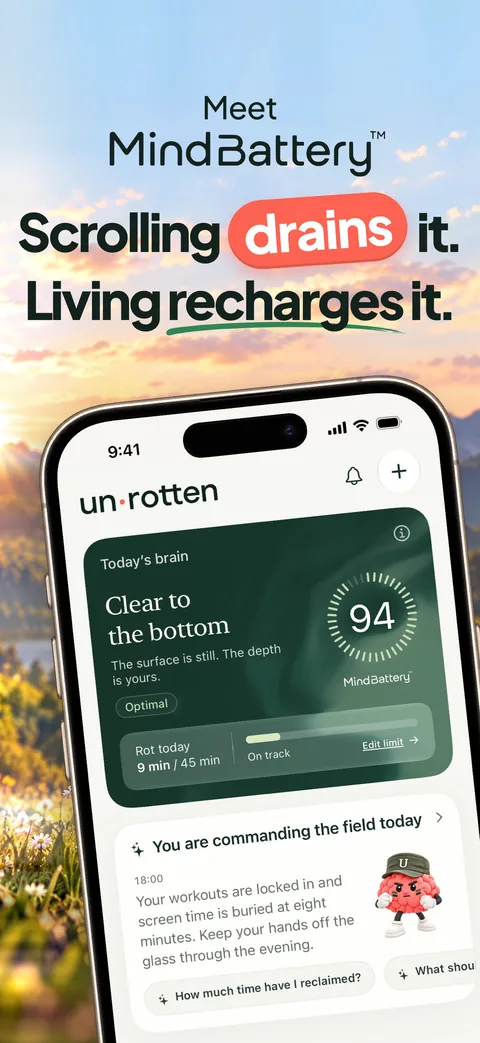
Unrotten turns your screen time into something you can feel before Sunday's report: the MindBattery, a score from 0 to 100 that drains while you use the apps you choose and recharges with sleep, movement, mindful minutes and time away from them. It sits on your Lock Screen, in the Dynamic Island and in Home Screen widgets.
Then it acts on the number. Less scrolling gives your rot apps a daily limit, Shorter scroll sessions sends them on a break past a session length you set, Fewer app returns sets a daily target for how many times you open them, and Time away from apps blocks them during chosen hours. When the daily limit is used up, Apple's Screen Time shield locks those apps until the day resets, with no Ignore Limit button. An AI Coach, drawn like iOS Messages, knows your goals and your day, checks in on plans you share and nudges you when your scrolling runs fast. Your chosen apps reach Unrotten as private tokens from Apple's Screen Time framework, so it never learns which apps they are.
Best for: people who have watched their Screen Time numbers for months and want them to change.
Watch out for: there's no free tier: it's $69.99 a year after a 7-day free trial, or $14.99 a month. It's new (it reached the App Store on October 14, 2026), so it has no ratings yet, and it's iPhone only, on iOS 17 or later. It's a commitment device, not a vault: turning a goal off lifts its shield.
2. Apple Screen Time: best free way to see your numbers
Every iPhone has a screen time tracker built in. Screen Time, in Settings, shows your daily average, the apps and websites that take the time, and how often you pick up your phone and get notifications; a widget can put the numbers on your Home Screen. On iOS 27 you set Time Allowances for how long and Schedules for when; on iOS 26 and earlier, App Limits and Downtime.
Best for: finding out where your time goes before you pay for anything.
Watch out for: Apple's iOS 26 guide notes that "by default, Screen Time limits can be ignored once reached." A Screen Time passcode makes them stick, but you know your own passcode. Setup steps for both versions are in our guide to the best app blockers for iPhone.
3. Opal: best for clear insights and a firm limit
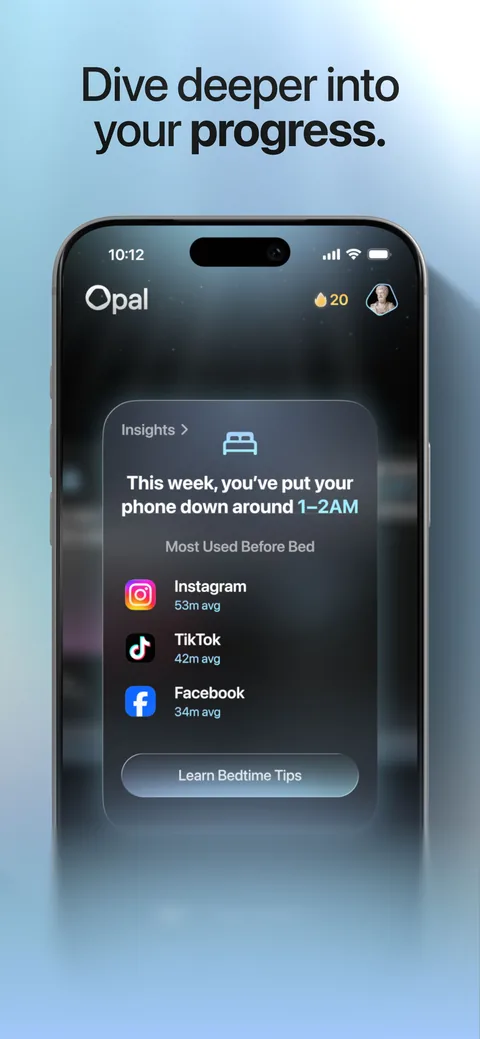
Opal compares this week's screen time with your usual, gives you an Opal Score and shows which apps you use before bed. Blocking runs on rules: schedules, time limits and limits on how often you open an app. Pro adds Hard Mode, which its pricing page sums up as "No way out. You can't turn Opal off." It also runs on Android and Mac.
Best for: people who want polished insights and a strict blocker in one app.
Watch out for: the free plan covers one rule, and its Opal Score shows today only. History and Hard Mode need Pro: $99.99 a year (with a free week), $19.99 a month or $399 once. It needs iOS 18 or later.
4. ScreenZen: best free screen time app
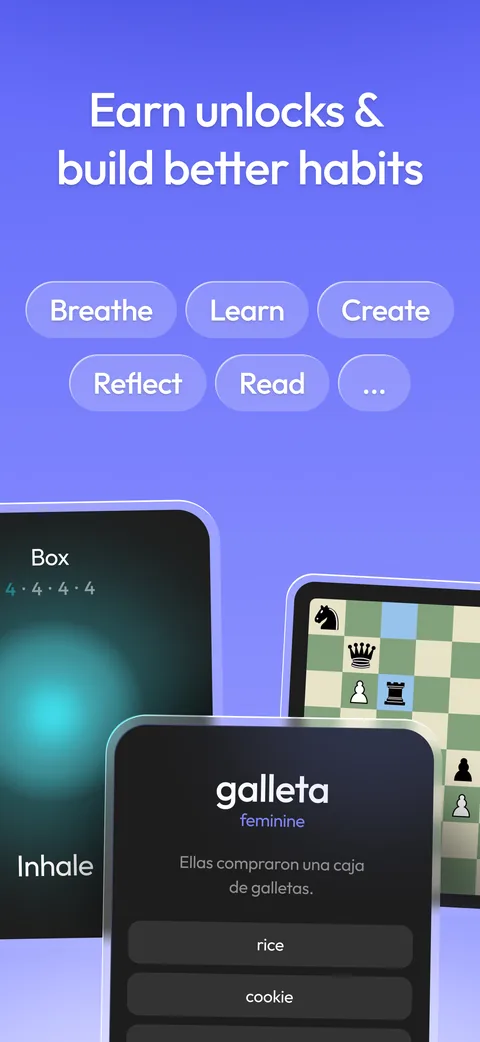
ScreenZen is free, supported by optional tips. Before a chosen app opens, you wait, and the wait can grow each time. It can interrupt a scroll, block an app once you reach a daily goal, and strictly block apps by time of day or number of opens. It counts screen time for your distracting apps only, and offers breathing and other short activities while you wait.
Best for: anyone who wants a capable screen time app without paying.
Watch out for: most of its friction can be waited out; the strict blocks hold, but you have to switch them on. Its App Store listing notes that it contains advertising, and ScreenZen also sells Halo, an optional $49 device that keeps a room distraction-free.
5. one sec: best for the autopilot open
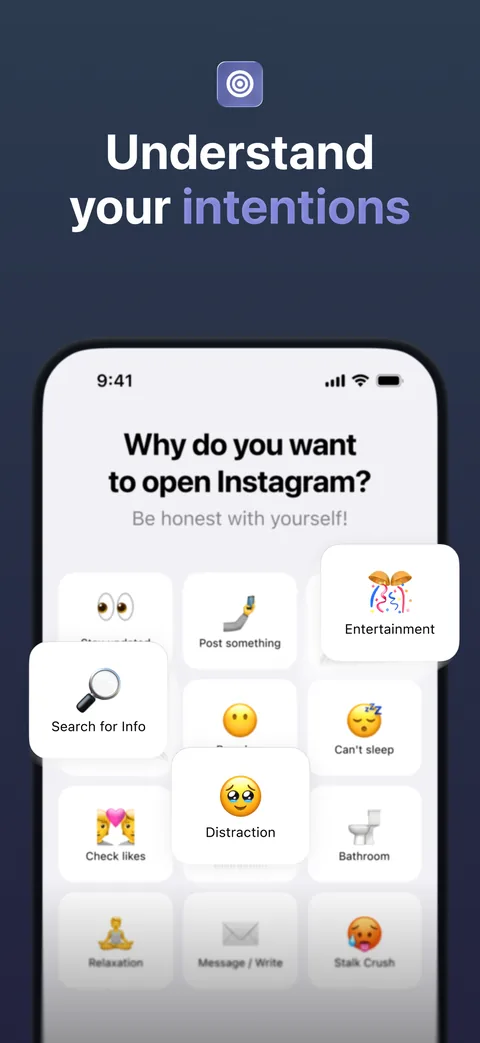
one sec puts a short pause, usually a breathing animation, between you and the apps you choose, then lets you back out or continue; it can also ask why you're opening the app. Its Doom Scroll Emergency Brake kicks you out after a set time. It's the app behind the six-week study above [4].
Best for: the thumb that opens Instagram before you've decided to.
Watch out for: a pause delays you rather than stops you, by design. It's free for one app; Pro is $19.99 a year, $6.99 a month or $99.99 once.
6. BePresent: best for friends, streaks and rewards
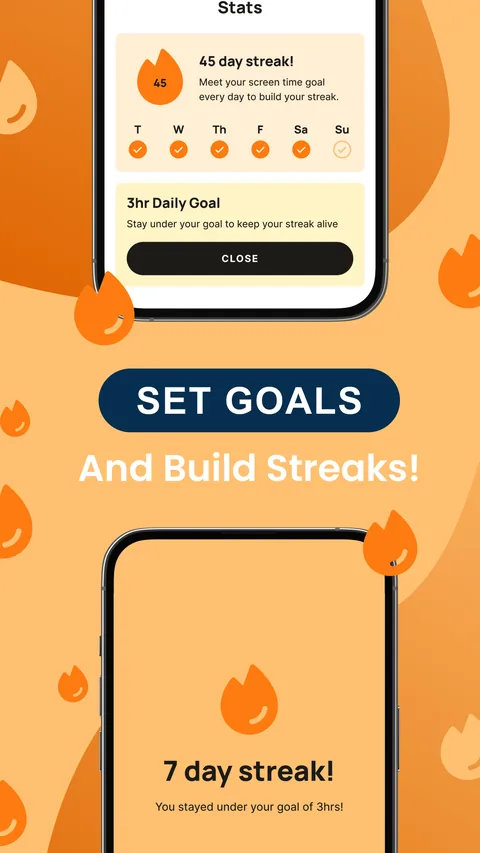
BePresent keeps a streak for every day you stay under your daily screen time goal. You can back the goal with money (go over and the stake is gone), compete on weekly leaderboards, earn points toward rewards from partners such as Headspace and ClassPass, and run blocking sessions alone or with friends, including a strict Beast Mode. Hourly reminders tell you how long you've been scrolling.
Best for: people who stay motivated by friends, rankings and rewards.
Watch out for: its website shows no price, and the App Store lists many plans, from $3.99 a month to $59.99 a year, plus family plans. Check yours before a trial ends.
7. Unrot: best for earning your screen time in real life
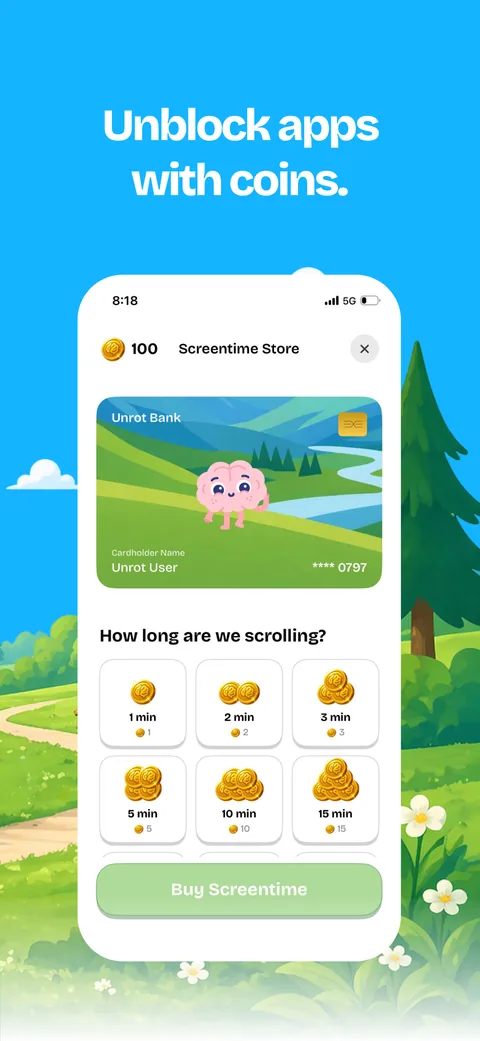
Unrot flips the deal: your chosen apps stay locked until you earn coins with something real (a walk, a study session, a workout, a clean room), logged with a timer or a photo. Coins buy minutes of scrolling. A cartoon buddy grows when you do things and loses energy when you scroll too much.
Best for: people who don't want to quit their apps, just to earn them.
Watch out for: a subscription is required, and the App Store lists Full Access plans from $4.99 to $69.99 without saying which period each covers. The listing notes that the app contains advertising, and it needs iOS 18 or later.
8. Pushscroll: best for paying for scrolling in push-ups
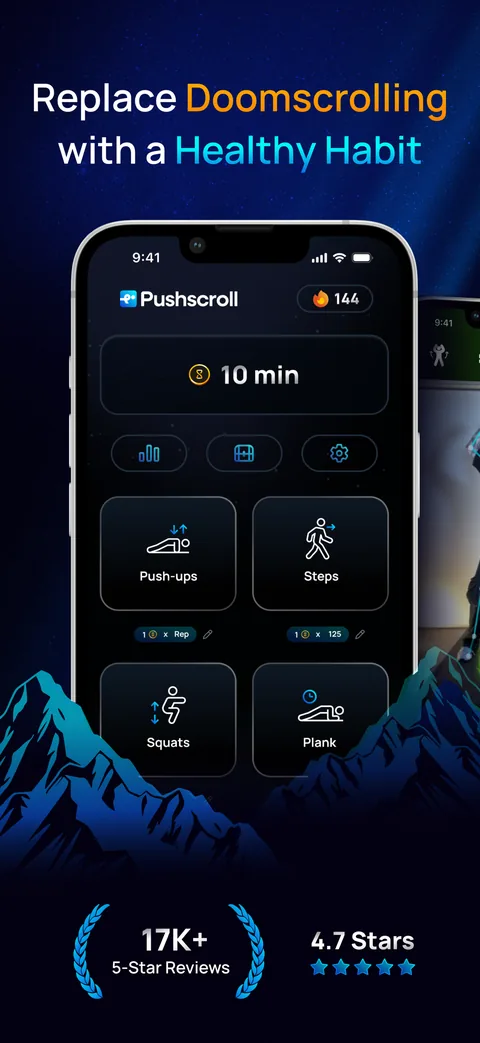
Pushscroll's rule is simple: one push-up buys one minute of app time. Your phone's camera counts the reps with pose detection (push-ups, squats, lunges, jumping jacks, sit-ups and more), and steps from Apple Health count too. When your minutes run out, the apps you chose stay blocked until you move again.
Best for: people who would rather pay for a scroll in exercise than in hours.
Watch out for: you exercise in front of your phone's camera, so you need a little floor space. A subscription is required for full access after a free trial; the App Store lists $14.99 a month and yearly plans from $24.99 to $59.99.
9. Freedom: best across all your devices
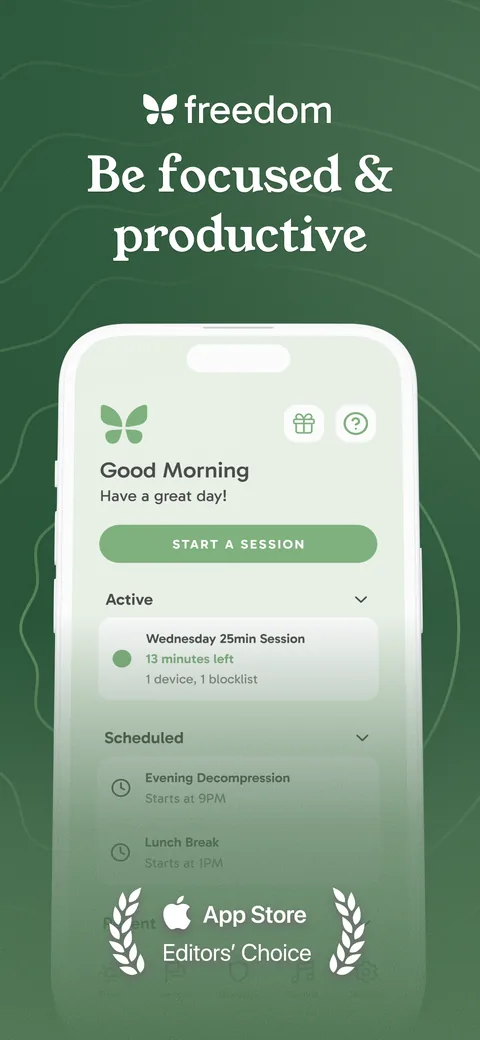
Freedom works in sessions, started now, scheduled or recurring, that block the apps and websites you choose, or the whole internet, on all your devices at once: iPhone, Mac, Windows, Android, Chromebook and Linux. Locked Mode stops you from quitting early. By design, there are no streaks or points.
Best for: people whose scrolling moves to the laptop the moment the phone is locked.
Watch out for: the free plan covers sessions you start yourself; scheduling, recurring sessions, Locked Mode and longer sessions need Premium, $39.99 a year (with a 7-day free trial) or $8.99 a month. A one-time Forever plan lists at $199 (on sale for $99.50 when we checked).
10. Brainrot: best for a playful visual nudge
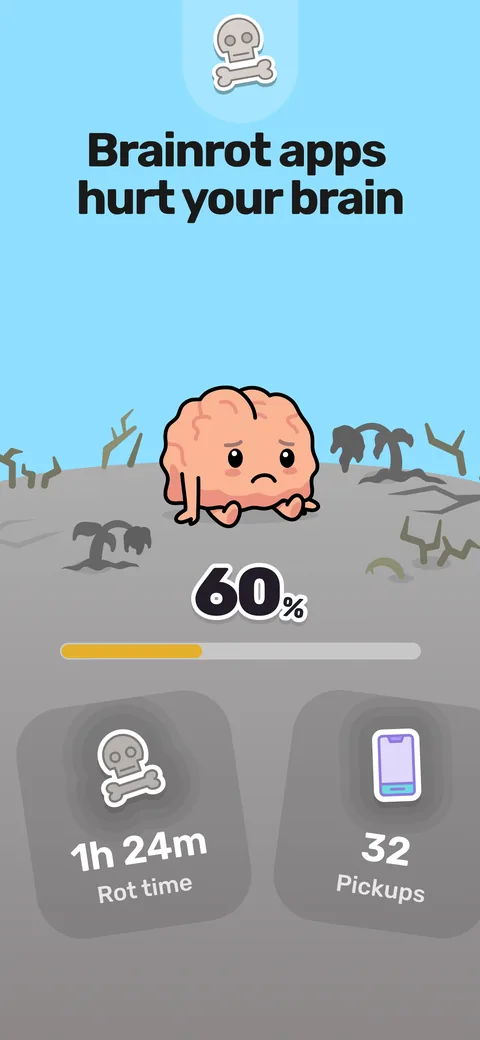
Brainrot gives the habit a face: a cartoon brain whose score drops, and whose world withers, as you doomscroll. Its home screen shows your screen time, pickups and focus time, plus your top "offenders". It blocks apps and websites on schedules, with a focus timer and mindful breaks.
Best for: people who respond to a visual nudge more than to charts.
Watch out for: every feature requires a subscription, and the App Store lists plans from $3.99 a month or $19.99 a year among several other offers. It needs iOS 17.6 or later.
How to choose a screen time app
Start with a free week of Apple's Screen Time: note your daily average and your top three apps. Then match the tool to how you slip:
- Opening apps on autopilot: a pause (one sec or ScreenZen).
- Blowing through your own limits: a limit without an easy override (Unrotten, Opal's Hard Mode or Freedom's Locked Mode).
- Rather earn it than lose it: Unrot for real-life tasks, Pushscroll for exercise.
- Friends keep you going: BePresent.
- The scroll moves to your laptop: Freedom.
- Wanting the habit itself to change: goals, a visible MindBattery and a coach in Unrotten.
- Not wanting to pay: Screen Time or ScreenZen.
If your phone use feels out of your control, our guide to phone addiction covers the signs and what helps.
Give it two weeks
Pick one app, set one rule for your worst app, and give it two weeks. Overriding it? Go a step firmer. Holding it but still feeling the pull? Fill the gap with a dopamine menu of better things to reach for. And if the scrolling comes with low mood, anxiety or sleep problems that won't lift, a doctor or therapist can help: a screen time app is a habit tool, not a treatment.
Questions people ask
What is the best screen time app for iPhone?
It depends on what you need. For changing the habit, Unrotten pairs limits that hold with goals, the MindBattery and an AI Coach. For seeing your numbers, Apple's built-in Screen Time. For a strict blocker with insights, Opal. For free, ScreenZen. For a pause before you open an app, one sec. For earning your screen time, Unrot or Pushscroll.
Is there a free screen time app for iPhone?
Yes. Apple's Screen Time is built in and free, and ScreenZen is free and supported by tips. Opal, one sec and Freedom have free plans with limits. Unrotten has no free tier, but you can try it free for 7 days.
Do screen time apps actually reduce screen time?
Good ones can. In a six-week study of the one sec app, people opened their chosen apps 57% less often, and in a randomized trial, simple changes such as grayscale and fewer notifications cut screen time more than tracking it alone. Limits help most while they stay in place.
Is tracking my screen time enough?
It's a start, but rarely enough on its own. People's guesses about their own phone use are often off, so the numbers help, but in trials, tracking alone changed less than limits, pauses or changes to the phone itself.
What's the difference between a screen time app and an app blocker?
An app blocker locks apps. A screen time app also shows you how you use your phone and helps you change it, with reports, goals, pauses, rewards or coaching. Many apps do both.
References
- Parry DA, Davidson BI, Sewall CJR, Fisher JT, Mieczkowski H, Quintana DS. "A systematic review and meta-analysis of discrepancies between logged and self-reported digital media use." Nature Human Behaviour. 2021;5(11):1535-1547. doi:10.1038/s41562-021-01117-5 ↩
- Olson JA, Sandra DA, Chmoulevitch D, Raz A, Veissière SPL. "A Nudge-Based Intervention to Reduce Problematic Smartphone Use: Randomised Controlled Trial." International Journal of Mental Health and Addiction. 2023;21(6):3842-3864. doi:10.1007/s11469-022-00826-w ↩
- Hunt MG, Marx R, Lipson C, Young J. "No More FOMO: Limiting Social Media Decreases Loneliness and Depression." Journal of Social and Clinical Psychology. 2018;37(10):751-768. doi:10.1521/jscp.2018.37.10.751 ↩
- Grüning DJ, Riedel F, Lorenz-Spreen P. "Directing smartphone use through the self-nudge app one sec." Proceedings of the National Academy of Sciences. 2023;120(8):e2213114120. doi:10.1073/pnas.2213114120 ↩
- Pieh C, Humer E, Hoenigl A, Schwab J, Mayerhofer D, Dale R, et al. "Smartphone screen time reduction improves mental health: a randomized controlled trial." BMC Medicine. 2025;23(1):107. doi:10.1186/s12916-025-03944-z ↩
- Precht LM, Mertens F, Brickau DS, Kramm RJ, Margraf J, Stirnberg J, Brailovskaia J. "Engaging in physical activity instead of (over)using the smartphone: An experimental investigation of lifestyle interventions to prevent problematic smartphone use and to promote mental health." Journal of Public Health. 2024;32(4):589-607. doi:10.1007/s10389-023-01832-5 ↩
Written by
Maren AshbyCOO, Unrotten
Maren Ashby is the COO of Unrotten, the iPhone app that helps people take their attention back from the feed. She writes about the research on phones, sleep and focus, and about the small, practical changes that make a phone easier to put down.