

Blog/App blockers & screen time apps/Roundup
The Best Focus Apps for iPhone in 2026, Compared
Timers, blockers and Apple's own Focus, judged on the one thing that breaks most focus: the phone in your hand.


In this article
A focus app promises you an hour of real work. Then the phone lights up, or your thumb wanders to a feed on its own, and the hour is gone. Most focus apps are timers. This list judges them on the part timers leave out: what they do about the phone in your hand.
Disclosure: Unrotten, first on this list, is made by the team behind this blog. We checked every other app on November 9, 2026, against its US App Store listing and its official website, and Apple's Focus against Apple's iPhone User Guide for iOS 27. We didn't lab-test anything: every price, rating and feature here comes from those pages.
The quick comparison
| App | Price (US) | How it keeps you off the phone | Free version | App Store rating (US) |
|---|---|---|---|---|
| Unrotten | $49.99/yr or $9.99/mo, each after a 7-day free trial | Phone-free sessions and daily windows that lock the apps you choose | No (7-day free trial) | New (October 2026) |
| Forest | Free; Forest Plus listed at $5.99/mo or $35.99/yr | A tree that withers if you leave; app blocking during sessions and on a schedule | Yes (core timer) | 4.8 (49,597 ratings) |
| Flora | Free; optional purchases from $0.99 | A tree that dies if you leave; blocks distracting apps, says its listing | Yes | 4.8 (82,983 ratings) |
| Focus Friend | Free; Pro $3.99/mo, $19.99/yr or $39.99 once | A sad bean if you stop; Deep Focus Mode locks apps | Yes | 4.8 (10,154 ratings) |
| Opal | Free plan; Pro $19.99/mo, $99.99/yr or $399 once | Timers and routines that block apps through Screen Time | Yes (1 rule) | 4.7 (91,199 ratings) |
| Freedom | Free with limits; Premium $39.99/yr or $199 once | Sessions that block apps and sites on all your devices; Locked Mode | Yes (limited) | 4.5 (6,096 ratings) |
| Focus Keeper | Free; Pro listed from $3.99/mo or $34.99/yr | A Pomodoro timer; no blocking | Yes | 4.8 (31,756 ratings) |
| Focus To-Do | Free; Premium listed from $1.99, or $11.99 for life | A Pomodoro timer with tasks; no blocking in its listing | Yes | 4.8 (14,733 ratings) |
| Apple's Focus | Free, built in | Silences notifications; can't block apps | Yes | Built into iOS |
Checked November 9, 2026, on the US App Store, each maker's website and Apple's iPhone User Guide.
What breaks focus on a phone, according to the research
The phone breaks focus in two ways: it interrupts you, and it tempts you. A timer helps with neither on its own.
The interruptions cost more than they seem. In an experiment, people working on a task that demanded steady attention did worse when they merely received call or text notifications, without touching the phone, and the drop was comparable in size to what has been seen when people actually use a phone [1]. In a two-week study with 221 people, a week with alerts on and the phone within reach brought more inattention and hyperactivity than a week with alerts off and the phone put away [2]. And the cost shows up even when the work gets done: in a lab experiment, 48 people finished interrupted tasks faster, but after only 20 minutes they reported significantly more stress, frustration, time pressure and effort [3].
Silencing everything isn't the whole answer. In a field experiment with 237 people, notifications delivered in three batches a day left people feeling more attentive and productive than notifications as usual, while turning them off completely left people more anxious and more afraid of missing out [4].
Rhythm matters too. In a study of 87 university students over a day of real self-study, those who took breaks whenever they felt like it ended up more tired and distracted, and less concentrated and motivated, than students on a fixed schedule such as the Pomodoro rhythm of 24 minutes on and 6 off. All three groups got the same amount done [5]. It's one small study, but it's a fair case for a timer.
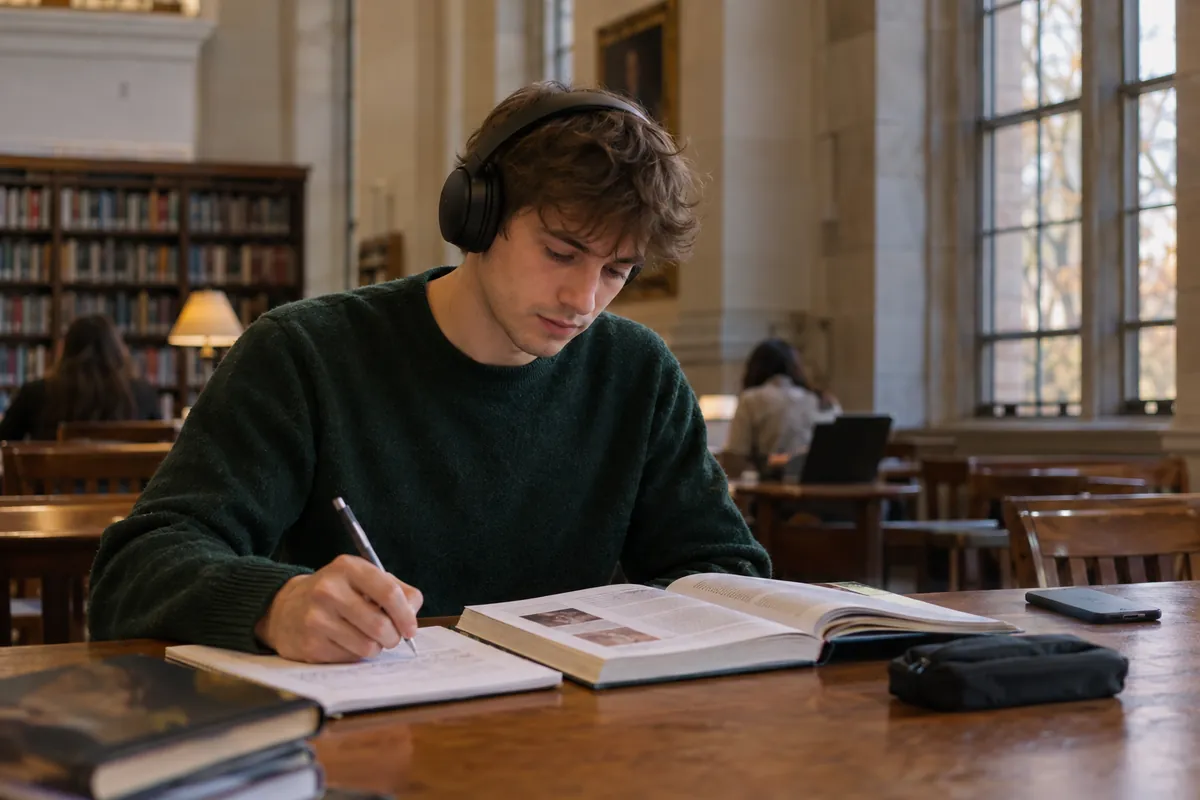
So we judged each app on three things: whether it keeps notifications from breaking in, whether it makes the tempting apps unavailable while you work, and whether it gives you a rhythm. For the habits behind it, see our guide to how to focus better.
A timer you can walk away from is a suggestion. The apps that work make walking away cost something.
The 9 best focus apps for iPhone
1. Unrotten: best for keeping the feed out of your focus time
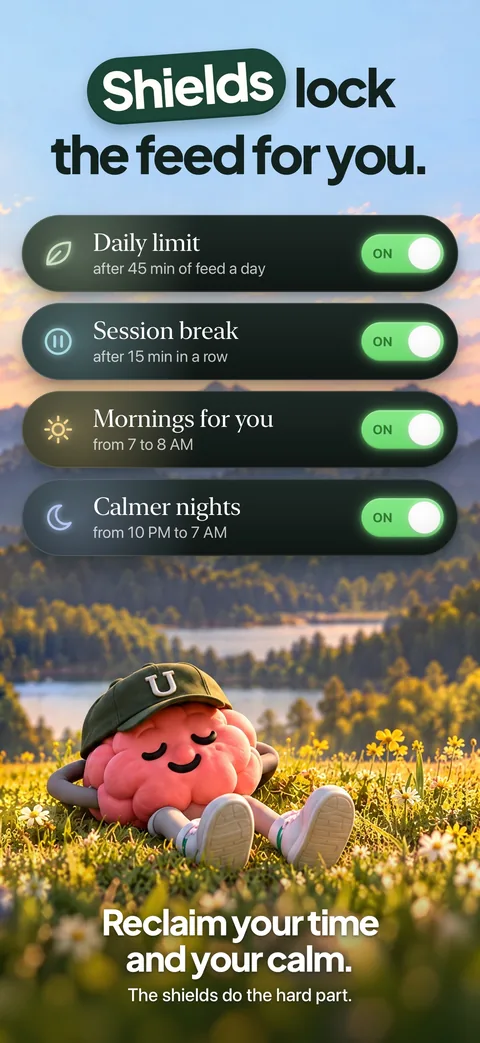
Most focus apps time your work. Unrotten goes after what interrupts it. You choose your rot apps, the ones that eat your time, and when you sit down to work, a phone-free Work, Focus or Reading session from Home's + button locks them until the session ends, with a countdown on your Lock Screen and in the Dynamic Island and a soft alarm or a gentle vibration when it's over. The Focus on what matters goal protects a window each day without those apps, so your best hours have a slot the feed can't reach.
Between sessions, Less scrolling sets a daily limit and Shorter scroll sessions makes those apps take a break once a session runs long. The MindBattery™, a score from 0 to 100 on your Lock Screen and in the Dynamic Island, shows what the feed costs you, and the AI Coach checks in on the plans you share with it.
Best for: people whose focus breaks the moment the phone is within reach, and who want the feed locked, not just timed.
Watch out for: it isn't a Pomodoro timer or a task list, and there's no free tier: it's $49.99 a year or $9.99 a month, each after a 7-day free trial. It's an iPhone app (iOS 17 or later) and new, on the App Store since October 14, 2026. Turning a goal off, or removing Unrotten's Screen Time access, lifts that goal's shield.
2. Forest: best for turning focus into a game
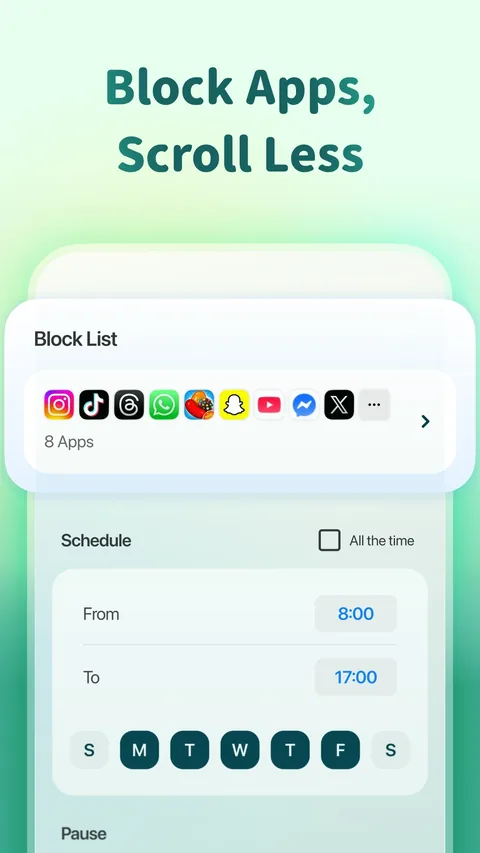
Forest made the focus timer a small game: "Stay off your phone and a tree grows. Leave early and it withers," says its listing. On iOS 16 or later you can also choose apps to block during a session, and Time Guard blocks distracting apps on a schedule. Every finished session adds a tree to a forest you watch grow. Our Forest review goes into its plans in detail.
Best for: people who like a visible reward for staying off the phone.
Watch out for: the core timer is free, and Forest Plus is listed on the US App Store at $5.99 a month or $35.99 a year as Early Bird prices; Forest's website says prices vary by region. It has 4.8 stars from 49,597 US ratings, and its privacy label lists contact info and usage data among the data that may be used to track you. Its listing warns that similar apps aren't made by the Forest team.
3. Flora: best free option, and best with friends
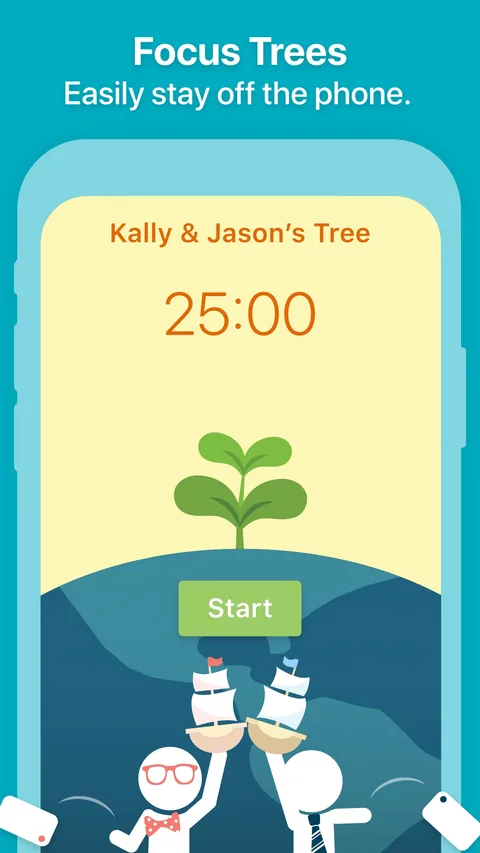
Flora works like Forest with friends at the center. You start a timer and a tree grows, and if you "leave the app while growing a tree, the tree will be killed!" says its listing, which also promises that "Flora blocks distracting apps in a pleasant way." You can grow a tree together with friends, and its screenshots show a button to see who killed a shared one. A to-do list and a habit tracker sit beside the timer.
Best for: studying or working alongside friends, without paying.
Watch out for: it's free, as its website says, with optional in-app purchases from $0.99 to $1.99. Its listing doesn't explain how it blocks apps. It runs on iOS 16.4 or later, has 4.8 stars from 82,983 US ratings, and its privacy label lists usage data among the data that may be used to track you.
4. Focus Friend: best for a gentle push
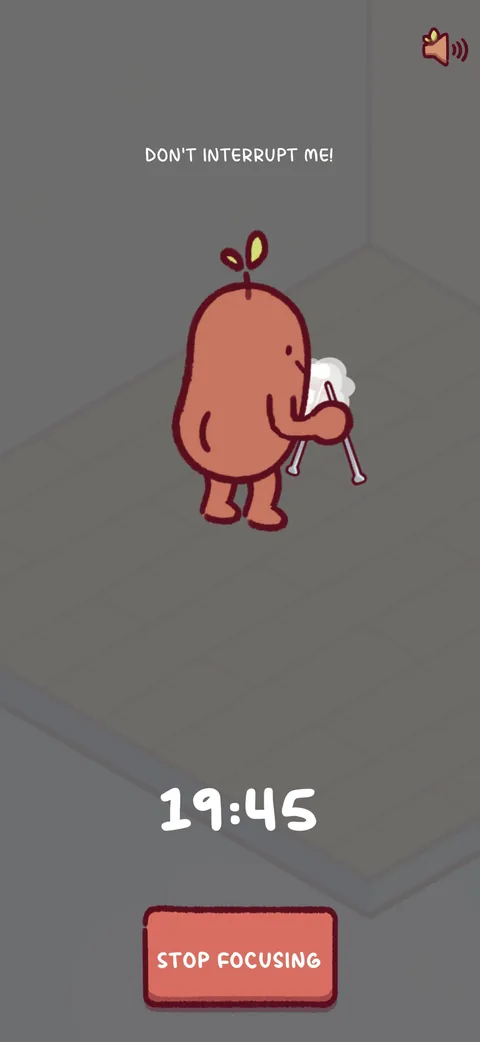
Focus Friend, by Hank Green, swaps the tree for a bean that knits while you focus. "If you interrupt your Bean by turning off the timer, they'll be really really sad," its listing warns, and the more you focus, the more decorations you earn for the bean's room. Its Deep Focus Mode goes further, to "Lock distracting apps during your focus sessions," and a Live Activity shows the timer while your phone is locked.
Best for: people who respond better to a cute guilt trip than to a wall.
Watch out for: it's free to download, and Pro is listed at $3.99 a month, $19.99 a year or $39.99 for life, beside cosmetic packs. It runs on iOS 15 or later, has 4.8 stars from 10,154 US ratings, and its privacy label lists no data used to track you.
5. Opal: best for a hard block on a schedule
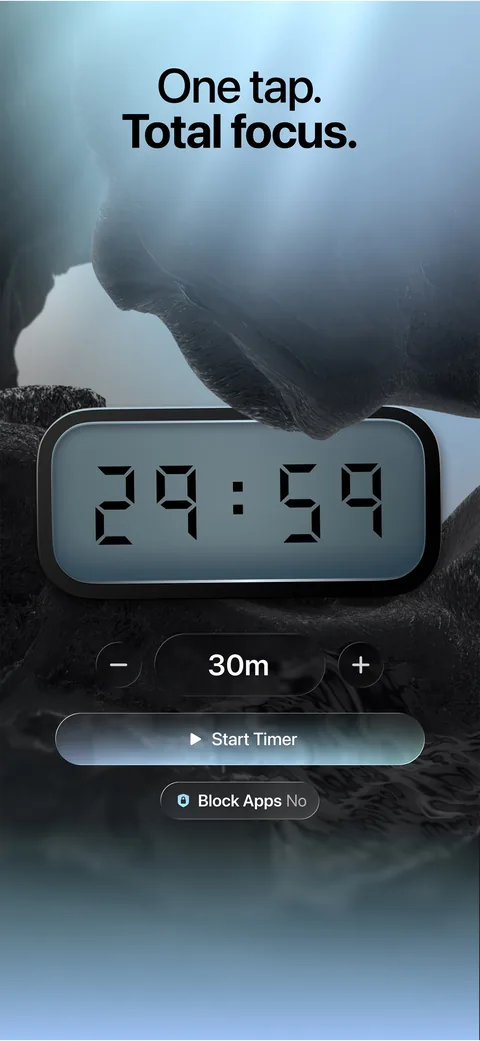
Opal is a blocker first: "We use Apple's Screen Time API in order to monitor and block apps you use," says its listing. For focus, its screenshots show a one-tap timer with an option to block apps, and routines that run on their own, such as Deep Work while you're at work and Sleep Time at night. It has a Mac app too.
Best for: people who need the apps gone during set hours, every day.
Watch out for: the free plan stops at one rule, and Pro is $19.99 a month, $99.99 a year or $399 once, per its website. It needs iOS 18 or later, has 4.7 stars from 91,199 US ratings, and its privacy label lists identifiers among the data that may be used to track you. Here's how it compares with us: Unrotten vs Opal.
6. Freedom: best for focus across all your devices
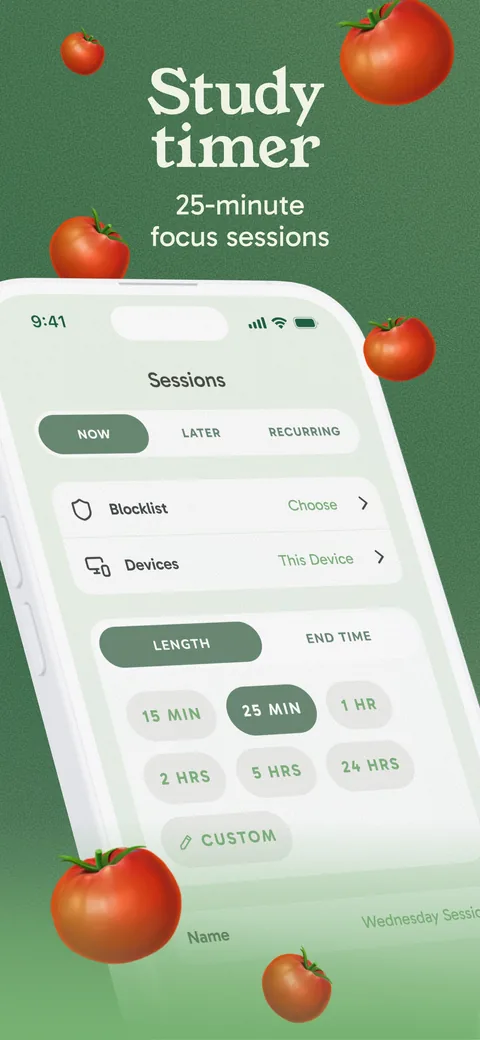
Freedom blocks apps and websites during a session, on your phone, tablet and computer together: "when you attempt to open an app or website on your blocklist, Freedom blocks the app from opening and displays a peaceful green screen," says its listing. Sessions can start now, later or on a repeating schedule. Locked Mode is its strictest promise: after a one-minute window to undo, the session can't be ended, and logging out and its uninstall protection are locked as well. It plays focus sounds too.
Best for: people whose distraction moves from the phone to the laptop and back.
Watch out for: the free version has limited features; Premium is $39.99 a year after a 7-day free trial, or $199 once for Freedom Forever, per its website, and the App Store also lists monthly plans from $8.99. It runs on iOS 16.1 or later, has 4.5 stars from 6,096 US ratings, and its privacy label lists identifiers among the data that may be used to track you.
7. Focus Keeper: best simple Pomodoro timer
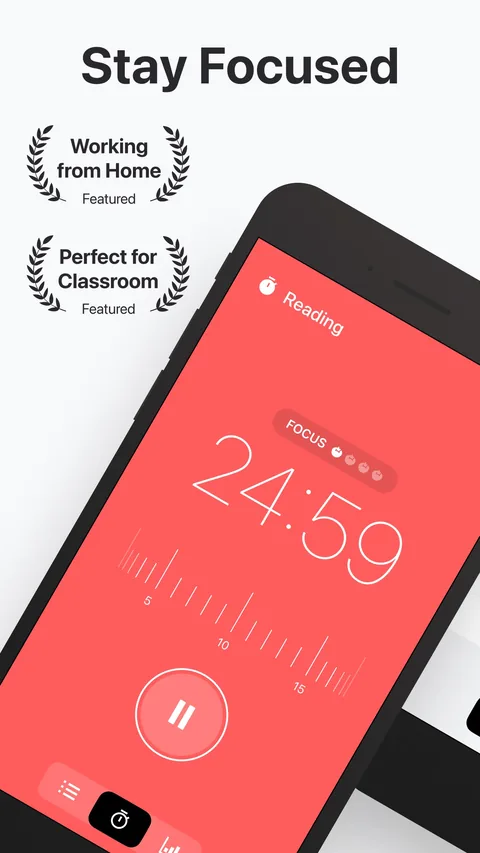
Focus Keeper is a Pomodoro timer and not much else, on purpose: "25-minute sessions followed by short breaks," says its listing, plus a task list, charts of your focus time, widgets and an Apple Watch app. It doesn't block anything, so it works best when the phone is part of the plan: face down and out of reach while the timer runs.
Best for: people who want a rhythm, not a lock.
Watch out for: it's free to download, and Pro is listed on the App Store at several prices, from $3.99 a month and from $34.99 a year. It runs on iOS 16 or later, has 4.8 stars from 31,756 US ratings, and its privacy label lists purchases, user content and identifiers among the data that may be used to track you.
8. Focus To-Do: best for a timer with a full task list
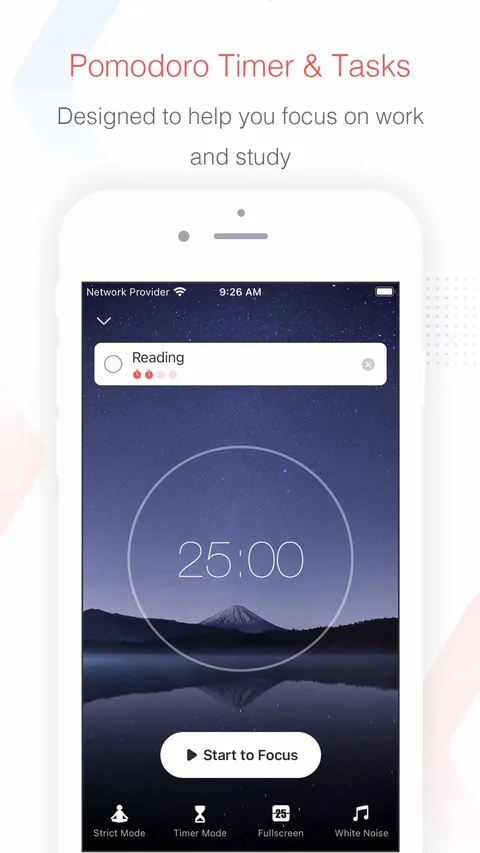
Focus To-Do "combines Pomodoro Timer with Task Management," says its listing: projects, subtasks, reminders and detailed reports sit beside the timer, with white noise to work to, and it syncs across iPhone, Mac, iPad and Apple Watch. Its screenshots show a Strict Mode with Flip Phone and Prohibit to Exit options, but its listing doesn't say it blocks other apps.
Best for: people who plan their day in tasks and want the timer in the same place.
Watch out for: it's free to download, and Premium is listed at $1.99, at $3.99 for three months and at $11.99 for life. It runs on iOS 15 or later, has 4.8 stars from 14,733 US ratings, and its privacy label lists no data used to track you. Its last update was in September 2026.
9. Apple's Focus: best free starting point
Every iPhone already has Focus, in Control Center and in Settings. Apple describes it as "a feature that helps you concentrate on a task by minimizing distractions." A Work, Personal or Sleep Focus, or one you make yourself, can silence all notifications or allow only the people and apps you choose, show only the Home Screen pages you pick, and turn on by itself at a set time, at a place or when you open a certain app. The Reduce Interruptions Focus uses Apple Intelligence to show only the notifications it judges most important.
Best for: cutting the buzz without paying anything. Allow the people who matter instead of silencing everyone: in the batching experiment, no notifications at all made people more anxious, not more focused [4].
Watch out for: Focus silences notifications; it doesn't stop you from opening an app, and Apple's guide describes no setting that would. If the problem is your own thumb rather than the buzz, pair it with Screen Time limits or one of the apps above.
How to choose
Start with what breaks your focus, not with the features:
- The phone buzzes and you follow it: start with Apple's Focus, allowing only the people who matter, and add a timer.
- You reach for a feed without meaning to: you need a lock, not a timer. Unrotten's phone-free sessions, Forest's block list, Focus Friend's Deep Focus Mode, Opal and Freedom all make the apps unavailable while you work.
- Your work is on a laptop too: Freedom blocks across all your devices, and Opal has a Mac app.
- You never know when to stop or rest: a Pomodoro timer such as Focus Keeper or Focus To-Do gives you the rhythm.
If you lose more of your day to feeds than to notifications, Unrotten is built for that: the apps you choose lock for the length of a Work, Focus or Reading session, and a daily window keeps them out of the hours you protect.
Questions people ask
What is the best focus app for iPhone?
It depends on what breaks your focus. If you keep reaching for feeds, choose an app that locks them during a session, such as Unrotten, Forest, Focus Friend, Opal or Freedom. If you only need a rhythm of work and breaks, a timer like Focus Keeper or Focus To-Do will do. Flora is free, and Apple's Focus is built into every iPhone, though it only silences notifications.
Is there a free focus app?
Yes. Flora is free, with optional purchases, and Forest's core timer is free. Focus Keeper, Focus To-Do and Focus Friend are free to download with paid upgrades, Opal and Freedom have limited free plans, and Apple's Focus is built into the iPhone. Unrotten has no free tier, but both of its plans start with a 7-day free trial.
Does Focus mode on iPhone block apps?
No. Apple's iPhone User Guide describes Focus as a way to silence notifications, allow only chosen people and apps, show chosen Home Screen pages and filter what some apps show. It doesn't stop you from opening an app. To lock apps you need Screen Time limits or an app built on Screen Time.
Does the Pomodoro technique work?
One small study suggests a fixed rhythm helps. Among 87 university students studying for a day, those who took breaks whenever they felt like it ended up more tired and distracted, and less concentrated and motivated, than those on a fixed schedule such as 24 minutes on and 6 off, though all of them got the same amount done.
References
- Stothart C, Mitchum A, Yehnert C. "The attentional cost of receiving a cell phone notification." Journal of Experimental Psychology: Human Perception and Performance. 2015;41(4):893-897. doi:10.1037/xhp0000100 · Read our plain-English summary ↩
- Kushlev K, Proulx J, Dunn EW. "'Silence Your Phones': Smartphone Notifications Increase Inattention and Hyperactivity Symptoms." Proceedings of the 2016 CHI Conference on Human Factors in Computing Systems. 2016:1011-1020. doi:10.1145/2858036.2858359 ↩
- Mark G, Gudith D, Klocke U. "The cost of interrupted work: more speed and stress." Proceedings of the SIGCHI Conference on Human Factors in Computing Systems. 2008:107-110. doi:10.1145/1357054.1357072 ↩
- Fitz N, Kushlev K, Jagannathan R, Lewis T, Paliwal D, Ariely D. "Batching smartphone notifications can improve well-being." Computers in Human Behavior. 2019;101:84-94. doi:10.1016/j.chb.2019.07.016 · Read our plain-English summary ↩
- Biwer F, Wiradhany W, oude Egbrink MGA, de Bruin ABH. "Understanding effort regulation: Comparing 'Pomodoro' breaks and self-regulated breaks." British Journal of Educational Psychology. 2023;93(Suppl 2):353-367. doi:10.1111/bjep.12593 ↩
Written by
Maren AshbyCOO, Unrotten
Maren Ashby is the COO of Unrotten, the iPhone app that helps people take their attention back from the feed. She writes about the research on phones, sleep and focus, and about the small, practical changes that make a phone easier to put down.