
Blog/Explainer
Infinite Scroll: Why Your Feed Never Ends, and How to Give It One
What infinite scroll is, who invented it, and why a feed with no last page is so hard to leave, with ways to add one back.

In this article
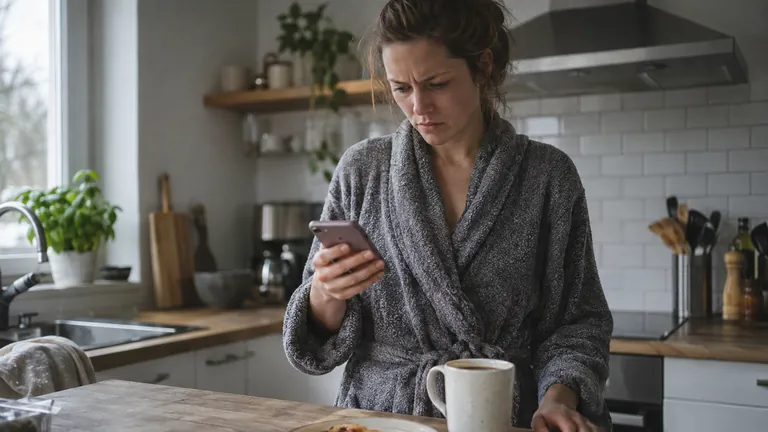
You meant to check one notification. Twenty minutes later you're still swiping, and the feed looks exactly as full as when you started. That's infinite scroll working the way it was built to: a feed that loads more the moment you get close to the bottom, so there's never a natural place to stop.
What infinite scroll means (and where you meet it)
Infinite scroll is a design that loads more content automatically as you near the bottom of a page or app, instead of stopping at a fixed set of items and making you click through to the next page. You meet it in social feeds, short video apps, search results, online stores and plenty of news sites.
The older design was pagination: Page 1, Page 2, a "Load more" button you had to press on purpose, the last page of a newspaper. Each one was a small door you had to open to keep going. Infinite scroll takes the doors away, and with them the moment where you'd ask yourself whether you actually want more.
For the people who build an app, that means fewer clicks and more time on the page. For you, holding the phone, it means the feed decides when it's done, and the answer is never. Endless scrolling, infinite scrolling: whatever you call it, that's the feeling.

Who invented infinite scroll, and what he says now
Infinite scroll has a known starting point. Aza Raskin designed it in 2006, while he was working at Humanized, a user interface consultancy, and it's now one of the features of many apps seen as highly habit forming [1].
In 2018 Raskin told the BBC's Panorama that the design kept people looking at their phones far longer than necessary. He said he hadn't set out to addict anyone, and that he now felt guilty about it [1]. His explanation of why it works takes one sentence: "If you don't give your brain time to catch up with your impulses, you just keep scrolling" [1].
A page that ends asks you, gently, whether you want more. A feed that doesn't end never asks.
If what keeps you scrolling is bad news rather than the design itself, that habit has its own name: doomscrolling.
Why a feed with no end is so hard to leave
Raskin built the mechanism. Three things keep it working on you.
Nothing in the app tells you to stop
One research team followed 46 people's social media use for a week to learn what it takes to stop [2]. They describe two loops: a short one inside each session, nested inside a longer, habitual one that brings you back to the app in the first place. And when people did put the phone down, most of their reasons had nothing to do with the app. They came from the rest of their day [2]. The feed almost never offered a way out. Something outside it had to.
Scrolling can switch your attention off
A forty-minute scroll can feel like four. Researchers gave 43 people a custom Twitter app and asked them, through the day and in interviews, how scrolling felt [3]. They describe a state called normative dissociation: total absorption, with less awareness of yourself and less sense of being in charge, like a stretch of familiar road you drive without remembering it. Sometimes that felt like a welcome break. Other times people slipped into it without meaning to, took in nothing and felt they had wasted the time [3].
The same study tested small design changes: custom lists of chosen accounts, labels showing what you'd already read, a dialog when you reached a time limit and a running count of your own use. They reduced that blank, absorbed scrolling [3]. None of them took the feed away. They gave it edges.
Autoplay decides before you do
Video feeds add another layer: when you stop choosing, the app chooses for you. In a survey of 120 YouTube users, autoplay and recommendations were the features that mostly undermined people's sense of control over their watching, while playlists and search supported it [4]. In design sessions with 13 YouTube users, people wanted the most control when they had opened the app for something specific, rather than to see what was on [4]. Turning autoplay off doesn't change the feed. It hands the next decision back to you.
What the research shows about scrolling and attention
A 2025 survey of 745 social media users in Saudi Arabia measured not only how much people used short video but how immersed and unintentional their scrolling felt, which the researcher called scroll immersion [5]. Both predicted more self-reported trouble with attention, working memory and fatigue, and scroll immersion, the habitual, half-aware kind, predicted all three consistently [5]. The survey took one snapshot and relied on what people reported, so it can't show that scrolling causes the strain rather than tired, distracted people scrolling more. It fits the design research above, though: scrolling that doesn't feel like a decision goes with attention that doesn't feel steady.
The largest look at this is a 2025 meta-analysis in Psychological Bulletin that pooled 71 studies and 98,299 people on short-form video, the endless, autoplaying feed in its purest form [6]. Heavier use went with poorer cognition overall, a moderate link, and most clearly with poorer attention and inhibitory control, the ability to stop yourself from doing the easy thing. It also went with somewhat poorer mental health, most clearly stress and anxiety, but not with body image or self-esteem [6]. These are correlations pooled from very different studies, not a controlled trial, so they can't say which comes first. What stands out is how consistently the pattern shows up. If most of your scrolling happens on TikTok, our guide to TikTok addiction looks at that app on its own.
How to give your feed a stopping point
None of this needs an app, and most of it takes a minute to set up.
- Notice the "one more" moment. There's usually a specific second when you decide to keep going instead of putting the phone down: after a laugh, after a mildly interesting post, after nothing in particular. Notice it a few times, and you'll start to catch it earlier.
- Use a feed that runs out sooner. Some apps let you see only the accounts you follow. Instagram's Following feed, for one, shows posts and reels from accounts you follow [7]. A feed limited to people you chose has far less to show you than one built to recommend forever.
- Turn off autoplay where you can. In the YouTube app, the Autoplay switch sits at the top of the video player, and there's another in Settings, under Autoplay [8]. With it off, the next video waits for you to choose it.
- Split the time into portions. In a set of experiments, people went through chocolates more slowly when the same amount came split into smaller portions rather than all together, and the same held for gambling [9]. Each partition was a small decision point, and it mattered most for people who were trying to hold back. Partitions that changed now and then worked better than ones people got used to [9]. A feed is one big heap, so build the partitions back in: a timer, a session length, anything that makes you choose again.
- Decide the stopping point before you open the app, not after. Fifteen minutes chosen at 8 p.m. is easier to keep than a decision a tired brain makes at midnight, mid-scroll.
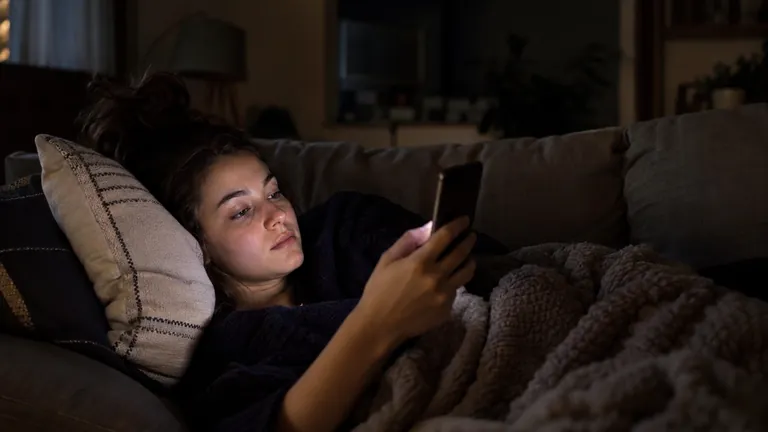
- Keep feeds out of bed. The last scroll of the night has no editor and no curfew. A charger across the room beats willpower at that hour.
For more ways to break a scrolling habit, how to stop doomscrolling goes through seven of them, with the research behind each. And if a restless, can't-settle feeling shows up when the scrolling stops, that has a name of its own: popcorn brain.

How Unrotten gives the feed an ending
Everything above works without installing anything. If you want the stopping point to hold on the nights you'd rather it didn't, that's the problem Unrotten is built for. You choose the apps it watches (Apple's Screen Time hands them over as private tokens, so Unrotten never learns their names), then pick a goal.
Shorter scroll sessions gives the feed the ending it doesn't have: you choose a session length, and once it's up, the apps you chose take a break before they open again. Less scrolling sets a daily limit instead; once it's used up, those apps lock until the day resets, and the shield has no button to ignore the limit. You can still turn a goal off, so it's a commitment device, not a lock nobody can open, but it isn't something a tired thumb waves away.
Unrotten's Coach, a chat in the app that knows your goals and your day, nudges you when your scrolling runs fast. And the MindBattery, a score from 0 to 100 on your Lock Screen and in the Dynamic Island, drains while you use the apps you chose and recharges with sleep, movement and time away from them, so the cost of a long scroll is right there in front of you.
The feed won't stop for you
Raskin built infinite scroll to remove a click. Along with the click went the one moment a feed used to hand back to you: the choice to keep going or not.
You can't get a last page back from an app built not to have one. You can add your own.
A session length, a following-only feed, a charger across the room: anything that makes you decide again counts.
If the scrolling has started to come with low mood, anxiety or sleep problems that don't let up, that's worth a conversation with a doctor or therapist, not just a new setting.
Start small tonight: pick one feed, and give it an end before you open it.
Questions people ask
What does infinite scroll mean?
Infinite scroll is a design that loads more content automatically as you near the bottom of a page or app, instead of stopping at a fixed set of items and making you click through to the next page. It removes the click between one page and the next, and with it, the natural place to stop.
Who invented infinite scroll?
Aza Raskin designed it in 2006, while he was working at Humanized, a user interface consultancy. In 2018 he told the BBC that it kept people looking at their phones far longer than necessary, and that he had not set out to addict anyone but now felt guilty about it.
Is infinite scroll addictive?
Infinite scroll addiction isn't a medical diagnosis, but the design removes the natural place to stop: the next post loads before you decide to look for it, and autoplay often picks the next video before you do. In one week-long field study, most of the reasons people gave for ending a session came from their day, not from the app.
Does infinite scroll affect attention?
Habitual, half-aware scrolling goes with more self-reported trouble with attention, memory and fatigue, and a 2025 meta-analysis of short-form video found moderate links with poorer attention and impulse control. These are correlations, so they can't show that scrolling causes the problem, but the pattern repeats across 71 studies and nearly 100,000 people.
How do I stop endless scrolling?
Notice the moment you choose one more, use a following-only feed where an app offers one, turn off autoplay, decide a session length before you open the app rather than during, and keep feeds out of the bedroom. On an iPhone, Unrotten can make a session length or a daily limit hold.
References
- Andersson H. "Social media apps are 'deliberately' addictive to users." BBC News. July 4, 2018. bbc.com/news/technology-44640959 ↩
- Rixen JO, Meinhardt LM, Glöckler M, Ziegenbein ML, Schlothauer A, Colley M, et al. "The Loop and Reasons to Break It: Investigating Infinite Scrolling Behaviour in Social Media Applications and Reasons to Stop." Proceedings of the ACM on Human-Computer Interaction. 2023;7(MHCI):1-22. doi:10.1145/3604275 ↩
- Baughan A, Zhang MR, Rao R, Lukoff K, Schaadhardt A, Butler LD, et al. "'I Don't Even Remember What I Read': How Design Influences Dissociation on Social Media." Proceedings of the 2022 CHI Conference on Human Factors in Computing Systems. 2022:1-13. doi:10.1145/3491102.3501899 ↩
- Lukoff K, Lyngs U, Zade H, Liao JV, Choi J, Fan K, et al. "How the Design of YouTube Influences User Sense of Agency." Proceedings of the 2021 CHI Conference on Human Factors in Computing Systems. 2021:1-17. doi:10.1145/3411764.3445467 ↩
- Alruwaili RF. "Scroll immersion and short-form video use: Predictors of attention, memory, and fatigue among Saudi social media users." Acta Psychologica. 2025;260:105674. doi:10.1016/j.actpsy.2025.105674 ↩
- Nguyen L, Walters J, Paul S, Monreal Ijurco S, Rainey GE, Parekh N, et al. "Feeds, feelings, and focus: A systematic review and meta-analysis examining the cognitive and mental health correlates of short-form video use." Psychological Bulletin. 2025;151(9):1125-1146. doi:10.1037/bul0000498 ↩
- Instagram. "Only see posts and reels from people you follow on Instagram." Instagram Help Center. Accessed November 2, 2026. help.instagram.com ↩
- YouTube. "Autoplay videos." YouTube Help. Accessed November 2, 2026. support.google.com ↩
- Cheema A, Soman D. "The Effect of Partitions on Controlling Consumption." Journal of Marketing Research. 2008;45(6):665-675. doi:10.1509/jmkr.45.6.665 ↩
Written by
Maren AshbyCOO, Unrotten
Maren Ashby is the COO of Unrotten, the iPhone app that helps people take their attention back from the feed. She writes about the research on phones, sleep and focus, and about the small, practical changes that make a phone easier to put down.